
Tesla Model 3: Shell - Seat Back - Driver (Remove and Replace)
Tesla Model 3 2017-2026 Service Manual / Seats / Front Seat Assemblies and Hardware / Shell - Seat Back - Driver (Remove and Replace)
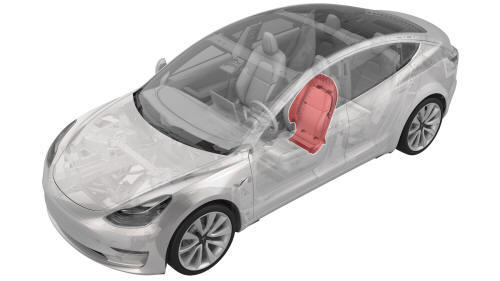
Remove
- Remove the driver headrest trim from the seat. See Trim - Headrest - Driver (Remove and Replace).
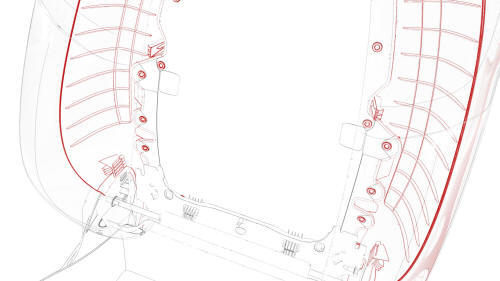
- Release the clips that attach the seat back shell to the driver seat, lift up on the shell to unhook it from the seat back frame, and lay the shell back.
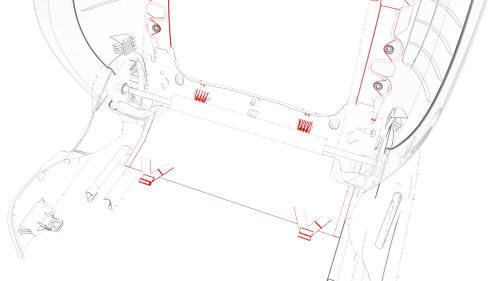
- Release the clips that attach the shell apron to the underside of the
seat, and then remove the shell from the seat.
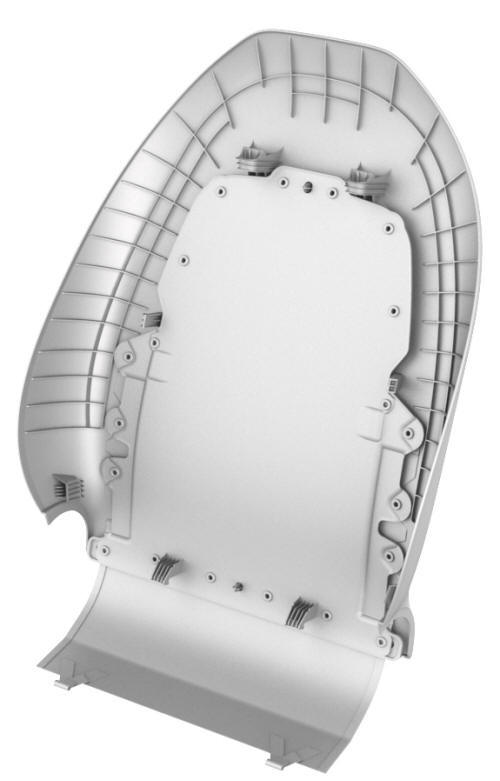
Install
Installation procedure is the reverse of removal.
READ NEXT:
 Seat - Driver (Remove and Replace)
Seat - Driver (Remove and Replace)- Remove
SPECIAL TOOLS
Key, Seat Belt Release, Model 3 (1133787-00-A)
Torx Plus T45 (1082447-07-A)
Remove
Note: Though the driver seat is described, the procedure
SEE MORE:
Rail - 2nd Row - Inner - LH (Remove and Replace)
Remove
Remove the 2nd row lower seat cushion. See
Seat Cushion - Lower - 2nd Row (Remove and Replace).
Remove the 2nd row buckle assembly:
LH: See
Buckle - 2nd Row - LH (Remove and Replace).
RH and center: See
Buckle - 2nd Row - Center (Remove and Replace).
Remove the bolts that
Accelerator Pedal
Accelerator (Remove and Replace)
Remove
Remove the 2nd row lower seat cushion. See
Seat Cushion - Lower - 2nd Row (Remove and Replace).
Remove the rear underhood apron. See
Underhood Apron - Rear (Remove and Replace).
Disconnect 12V power. See
12V Power (Disconnect and Connect).
Remove the
© 2019-2026 Copyright www.tmodel3.com
