
Tesla Model 3: Hub - Front - LH (RWD) (Remove and Replace)
Tesla Model 3 2017-2026 Service Manual / Suspension / Front Suspension (Including Hubs) / Hub - Front - LH (RWD) (Remove and Replace)
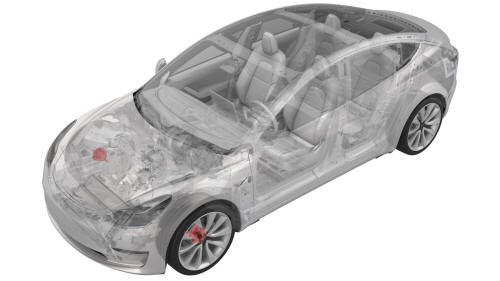
SPECIAL TOOLS
Card, Magnetic Field Viewer (1062500-00-A)
S-Hook (10821717-00-A)
Remove
- Remove LH front wheel. See Wheel (Remove and Install).
- Remove the LH front brake rotor. See Brake Rotor - Front - LH (Remove and Replace).
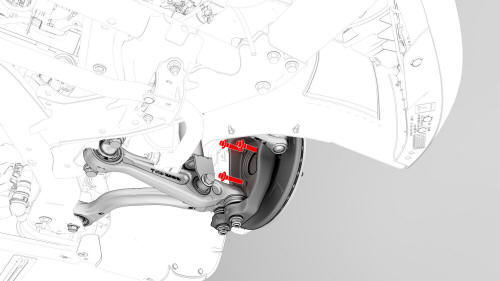
- Remove the bolts that attach the LH front hub to the knuckle, and then
remove the hub from the vehicle
Install
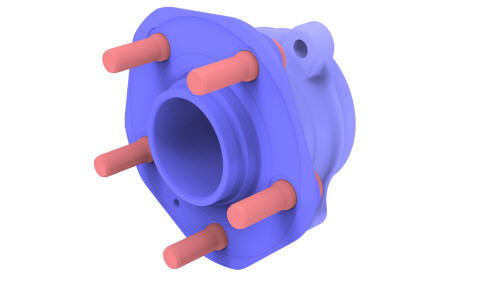
- Check the tone ring on the LH front hub prior to installation: Use a magnetic field viewing card to make sure that the magnetic field on the tone ring is not damaged.
- Position the LH front hub on the knuckle, and then install the bolts
that attach the hub to the knuckle.
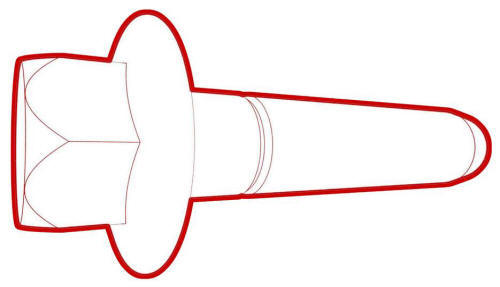 Torque 85 Nm
 - Install the LH front brake rotor. See Brake Rotor - Front - LH (Remove and Replace).
- Install LH front wheel. See Wheel (Remove and Install).
READ NEXT:
 Knuckle - Suspension - Front - LH (Dual Motor) (Remove and Replace)
Knuckle - Suspension - Front - LH (Dual Motor) - Remove
Remove
If equipped, remove the LH front wheel center cap. See
Cap - Wheel (Remove and Replace).
Loosen the LH front wheel lug nuts.
Cauti
SEE MORE:
Raise Vehicle - 2 Post Lift
DRAFT
Warning:
This procedure was derived from pre-production computer
models, and might not reflect the real-world situation. Warnings and cautions
might be missing. Follow safety requirements and use extreme caution when
working on or near high voltage systems and components. Do not redistri
Front Trunk
Opening/ Closing
Opening
To open the front trunk:
Ensure that the area around the hood is
free of obstacles.
Touch the associated OPEN button on the
touchscreen, double-click the front trunk
button on the key fob accessory, or touch
the front trunk button on the mobile app.
&n
© 2019-2026 Copyright www.tmodel3.com
