
Tesla Model 3: Radiator (Remove and Replace)
Tesla Model 3 2017-2026 Service Manual / Thermal Management / Cooling System / Radiator (Remove and Replace)
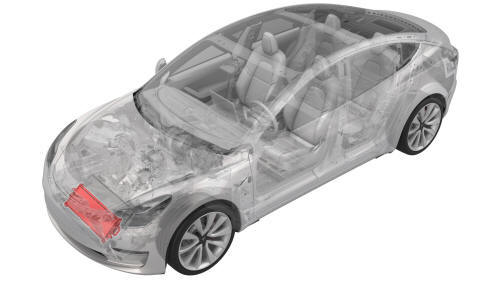
Remove
- Remove the cooling fan module. See Module - Cooling Fan (Remove and Install).
.png)
.png)
- Release the clips that attach the active grille shutter to the cooling fan module, and then remove the active grille shutter from the module.
.png)
- Remove the screws that attach the radiator to the condenser fan module.
.png) Torque 10 Nm
Torque 10 Nm
.png)
- Release the clip that attaches the radiator to the condenser fan module,
and then remove the radiator from the condenser fan module.
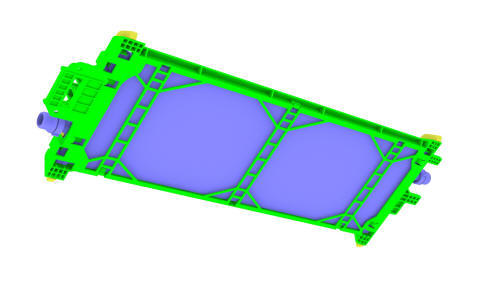
Install
Installation procedure is the reverse of removal, except for the following: Perform a cooling system vacuum refill. See Cooling System (Vacuum Refill).
READ NEXT:
 Superbottle (Dual Motor) (Remove and Replace)
Superbottle (Dual Motor) - Remove
SPECIAL TOOLS
Kit, Svc Plug, Cooling Hose, Model 3 (1135762-00-A)
Remove
Remove the 2nd row lower seat cushion. See Seat Cushion - Lower - 2nd
Row (Remove and R
SEE MORE:
Software Updates
Loading New Software
Tesla updates your vehicle's software
wirelessly, constantly providing new features.
Tesla recommends you install software
updates as soon as they are available on your
vehicle. To ensure the fastest and most reliable
delivery of software updates, leave Wi-Fi
turned
Fluid Reservoirs
Removing the Maintenance Panel
To check fluid levels, remove the maintenance
panel:
Open the hood.
Pull the maintenance panel upward to
release the clips that hold it in place.
If checking the Battery coolant, remove
the cabin intake trim panel by pulling it
upwards to r
© 2019-2026 Copyright www.tmodel3.com
