Tesla Model 3 Owners & Service Manuals

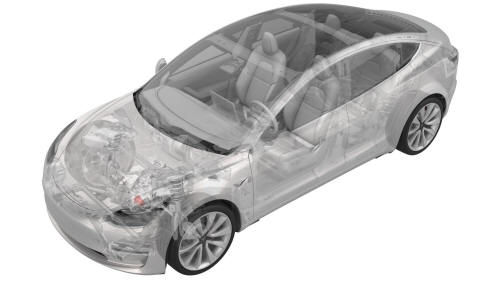
Tesla Model 3: Oil Pump - Front Drive Unit (Remove and Replace)

Tesla Model 3 2017-2026 Service Manual / Front Drive Unit / Front Gearbox and Halfshafts / Oil Pump - Front Drive Unit (Remove and Replace)

Oil Pump - Front Drive Unit - Remove

Oil Pump - Front Drive Unit (Remove and Replace)

SPECIAL TOOLS

3/4 Ton Underhoist Stand (1081765-00-A)

Remove

  1. Remove the front aero shield panel. See Panel - Aero Shield - Front (Remove and Replace).
  2. Drain the front drive unit gearbox fluid. See Gearbox Fluid - Front Drive Unit (Drain and Refill).

  Oil Pump - Front Drive Unit - Remove

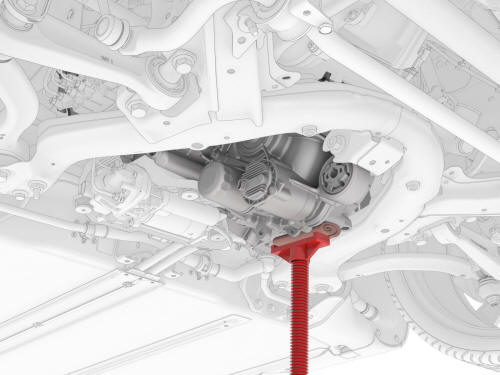
  1. Support the LH side of the front drive unit with an underhoist stand, as shown.

 Caution: Place a show towel between the underhoist stand and front drive unit.

  Oil Pump - Front Drive Unit - Remove

  1. Remove the bolt that attaches the front drive unit to the front subframe. Oil Pump - Front Drive Unit - Remove Torque 80 Nm

  Oil Pump - Front Drive Unit - Remove

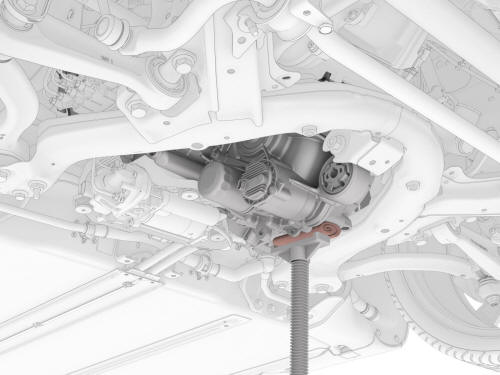
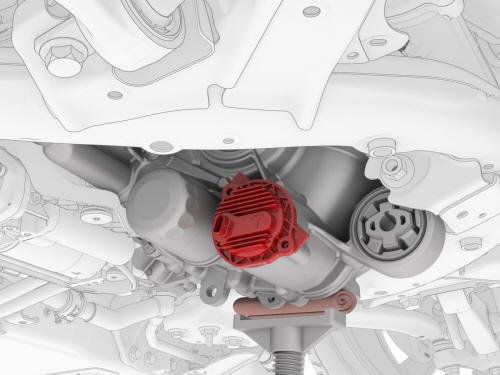
  1. Carefully lower the front underhoist stand until the front drive unit oil pump is accessible.

  Oil Pump - Front Drive Unit - Remove

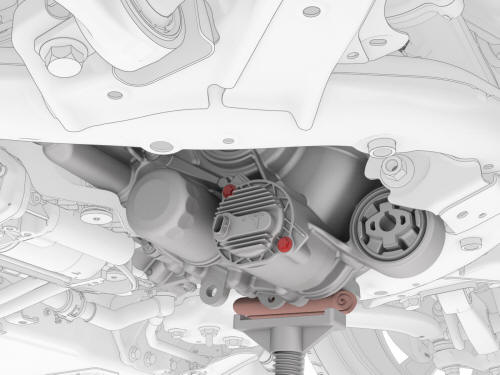
  1. Remove the bolts that attach the front drive unit oil pump to the front drive unit.  Torque 5 Nm + 20 degrees

  Oil Pump - Front Drive Unit - Remove

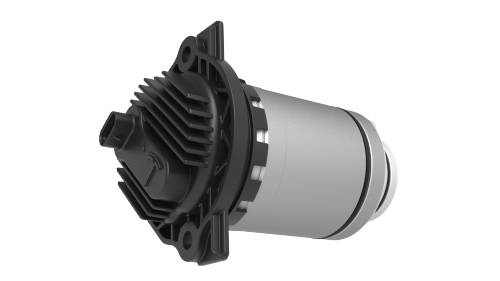
  1. Remove the front drive unit oil pump.

Tip: Use the front drive unit as a fulcrum to leverage out the oil pump.

Oil Pump - Front Drive Unit - Install
Install

Installation procedure is the reverse of removal, except for the following:
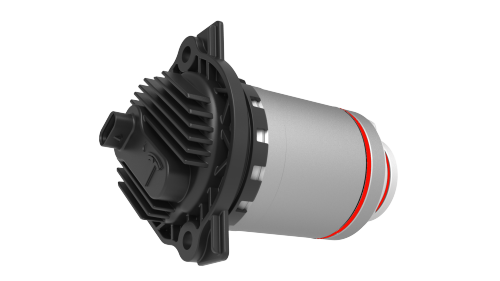
  • Lubricate the front drive unit oil pump o-rings with ATF-9.
  • Use Toolbox to update the vehicle firmware.

  Oil Pump - Front Drive Unit - Install

  1. Lightly coat the oil pump O-rings with clean ATF-9 fluid.

  Oil Pump - Front Drive Unit - Install

  1. Install the oil pump into the front drive unit.

  Oil Pump - Front Drive Unit - Install

  1. Install the bolts that attach the oil pump to the front drive unit.  Torque 5 Nm + 20 degrees

  Oil Pump - Front Drive Unit - Install

  1. Carefully raise the front underhoist stand until the front drive unit front bushing aligns with the front subframe mount.

  Oil Pump - Front Drive Unit - Install

  1. Install the bolt that attaches the front drive unit to the front subframe. Torque 80 Nm

  Oil Pump - Front Drive Unit - Install

  1. Remove the underhoist stand and shop towel from the LH side of the front drive unit.
  2. Refill the front drive unit gearbox fluid. See Gearbox Fluid - Front Drive Unit (Drain and Refill).
  3. Install the front aero shield panel. See Panel - Aero Shield - Front (Remove and Replace).
  4. Connect 12V power. See 12V Power (Disconnect and Connect).
  5. Use Toolbox to update the vehicle firmware.

    READ NEXT:

     Oil Screen - Front Drive Unit (Remove and Replace)

    SPECIAL TOOLS KIT, DRIVE UNIT OIL DRAIN, MODEL 3 (1134264-00-A) KIT, DRIVE UNIT OIL FILL, MODEL 3 (1139126-00-A) Tool, DUF Dipstick, Model 3 (1446276-20-A) SWITCHBOX, OIL PUMP, MODEL 3 (1131264-00-A

    SEE MORE:

     Bumper - Rear (Remove and Replace)

    Remove Remove the rear fascia. Release the clips that attach the rear Bluetooth passive entry antenna electrical harness to the rear center bracket assembly. Remove rear Bluetooth passive entry antenna. Remove the center rear bracket. Remove the nuts that attach the rear bumper to

     Bracket - License Plate - Front (EMEA) (Retrofit using Template)

    Procedure Clean the front center surface of the front fascia. Align the template with the parking sensors, and then use masking tape to hold the template in place. LH side shown, RH side similar Align the front license plate bracket over the template, and then secure the bracket

    © 2019-2026 Copyright www.tmodel3.com