
Tesla Model 3: Trim - Lid - Trunk (Remove and Replace)
Tesla Model 3 2017-2026 Service Manual / Interior Trim / Trunk Trim / Trim - Lid - Trunk (Remove and Replace)
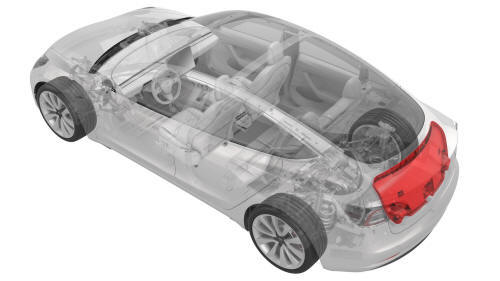
Remove
- Open the trunk.
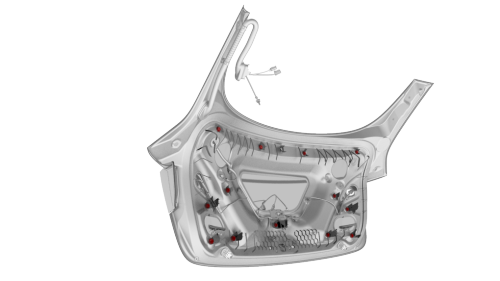
- Release the clips at the upper corners, then work around the trim to release the clips that attach the trunk trim to the trunk lid.
Note: The clips (x4) closest to the rear window have a higher retention force; use a clip prytool, if necessary. Remove any broken clips from the trunk lid.
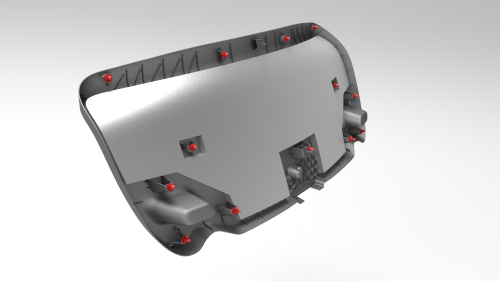
- Remove the trunk lid trim from the trunk lid, and then remove any remaining clips from the trunk lid.
Note: If the trunk trim removed is to be later installed, remove
all clips from the trim.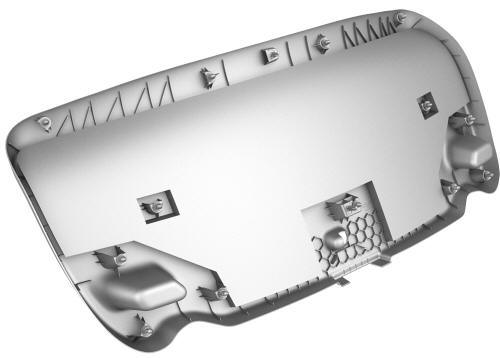
Install
- If reusing the same trunk lid trim, install new clips onto the trim.
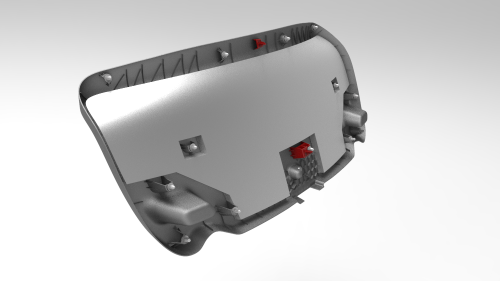
- Align the trunk lid tabs with the slots on the trunk lid, and then press the clips into the trunk lid.
READ NEXT:
 Panel - Door Trim - Front - LH (Remove and Install)
Panel - Door Trim - Front - LH (Remove and Install) - Remove
Remove
Open the front LH door, and fully lower the window.
Remove the front LH door tweeter. See
Tweeter - Front Door - LH (Remove a
SEE MORE:
Cover - HV Probe - HV Battery (Remove and Replace)
Warning:
Only technicians who have been trained in High Voltage Awareness are
permitted to perform this procedure. Proper personal protective equipment (PPE)
and insulating HV gloves with a minimum rating of class 0 (1000V) must be worn
at all times a high voltage cable, busbar, or fitting is ha
Rear Lettering (Retrofit)
SPECIAL TOOLS
Fixture, Badge, Dual Motor/Perf, M3 (1475764-00-A)
Seam Roller, Silicone, 5" (1049517-00-A)
Procedure
Clean the trunk area where the "Dual Motor" badge is to be installed
with an isopropyl alcohol (IPA) wipe.
Put the badge fixture tool in position on the trunk and secure i
© 2019-2026 Copyright www.tmodel3.com
