
Tesla Model 3: Brake Caliper - Front - LH (Remove and Replace)
Tesla Model 3 2017-2026 Service Manual / Brakes / Brake Discs and Calipers / Brake Caliper - Front - LH (Remove and Replace)
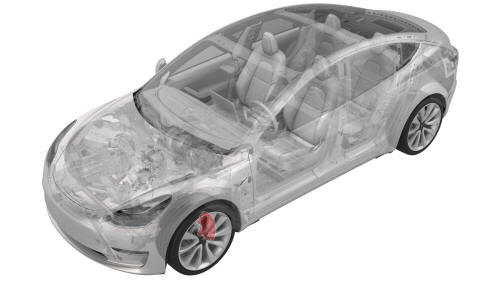
SPECIAL TOOLS
Skt, 1/2" Dr, E18 Torx (1133187-00-A)
Skt, 1/2" Dr, E18 Torx (1133187-XX-A & -01-A)
Remove
Note: This procedure is applicable to both Model 3 base and sport brake calipers
- Remove the rear underhood apron. See Underhood Apron - Rear (Remove and Replace).
- Raise and support the vehicle. See Raise Vehicle - 2 Post Lift.
- Remove the LH front wheel. See Wheel (Remove and Install).
- Position the oil drain under the LH front brake caliper area.
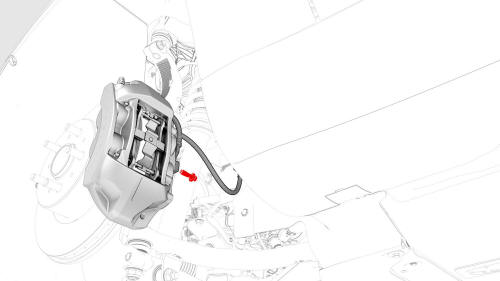
- Remove and discard the bolt and washers that attach the LH front brake caliper hose to the LH front brake caliper.
.jpg)
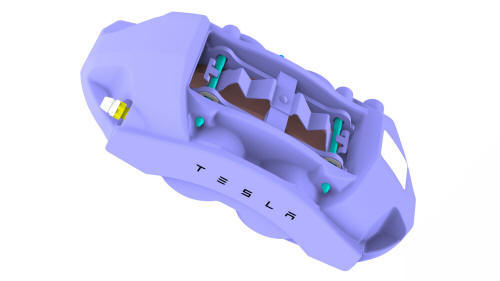
- Remove the bolts that
attach the LH front brake
caliper to the knuckle, and
then remove the caliper from
the vehicle.
Install
- Install new bolts to
attach the LH front brake
caliper to the knuckle.
.jpg) Torque 94 Nm
Torque 94 Nm - Install a new bolt and 2
new washers to attach the LH
front brake hose to the LH
front brake caliper.
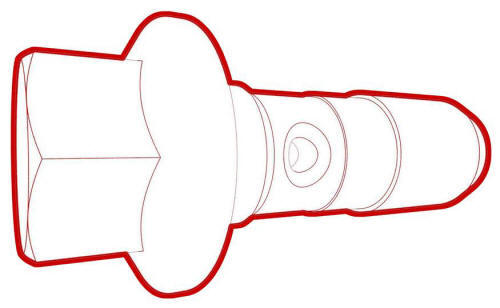 Torque 42 Nm
 - Remove the oil drain from underneath the vehicle.
- Lower the vehicle.
- Perform the bleed procedure for the LH front brake caliper. See Brake Fluid Bleed - One Caliper.
- Install the LH front wheel. See Wheel (Remove and Install).
- Install the rear underhood apron. See Underhood Apron - Rear (Remove and Replace).
- Perform the brake burnishing procedure. See Brake Pads - Burnishing.
- Perform vehicle road test using a series of ABS-active stops and make sure proper brake pedal feel and performance is achieved.
READ NEXT:
 Brake Caliper - Rear - LH (Remove and Replace)
Brake Caliper - Rear - LH - Remove
SPECIAL TOOLS
Kit, EPB Release, Handheld (1134520-00-A)
SEE MORE:
HV Battery (RWD) (Remove and Install)
HV Battery (RWD) (Remove and Install) - Remove
SPECIAL TOOLS
Adapter, Lift Pad, Model 3 (1453419-00-A)
Key, Seat Belt Release, Model 3 (1133787-00-A)
ASY, Battery Table, Manual Lift (1020566-00-F)
Top Plate, Battery Table, Manual Lift (1020566-99-A)
Hoist, H-Frame EMEA (1129166-00-A)
Kit, Alignment
Steering Wheel
Scroll Buttons
A scroll button is located on each side of the
steering wheel. Use your thumb to press this
button to the right or left. You can also press
the button or roll it up or down.
Use the left scroll button to:
Control the volume. Press the scroll
button to mute/unmute t
© 2019-2026 Copyright www.tmodel3.com
