
Tesla Model 3: Brake Pad Kit - Rear (Base Brakes) (Remove and Replace)
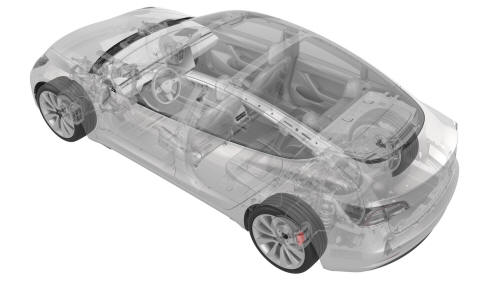
SPECIAL TOOLS
Kit, EPB Release, Handheld (1134520-00-A)
XP-10 Power Supply, XP-10 (1129348-00-A)
Remove
- Remove the LH rear wheel. See Wheel (Remove and Install).
- Use Toolbox to place the vehicle into EPB Service Mode. See Release Parking Brake Using Toolbox.
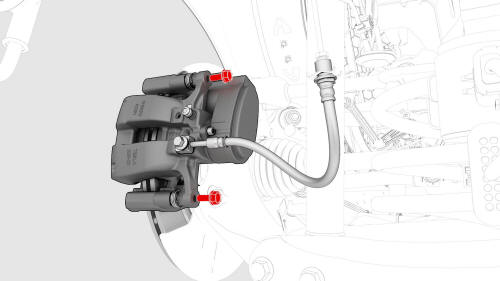
- Remove the bolts that attach the LH rear brake
caliper to the LH rear brake caliper bracket.
.png) Torque 26.5 Nm
Torque 26.5 Nm
- Use a brake caliper S-hook to hang the LH rear brake caliper on the body.
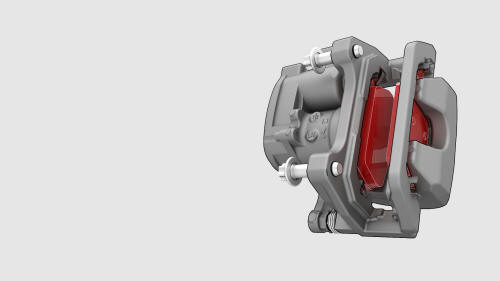
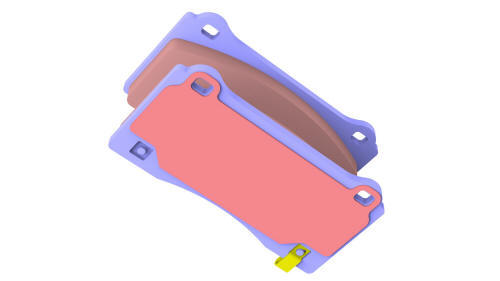
- Remove the brake pads from the LH rear brake caliper bracket.
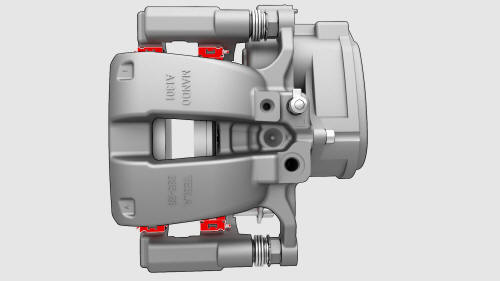
- Remove the caliper abutment clips from the LH rear brake caliper bracket.
- Repeat step 1 through step 10 for the RH rear brake
pad removal.
Install
- Install the caliper abutment clips.
- Apply an even layer of Silaramic lubricant to the abutment clips.
- Install the brake pads on the LH rear brake caliper bracket.
Tip: During installation, press the brake pads toward the brake rotor.
Note: Use the caliper spreader tool to push the caliper piston back into the caliper, if more room is needed.
- Install the bolts that attach the LH rear brake
caliper to the LH rear brake caliper bracket.
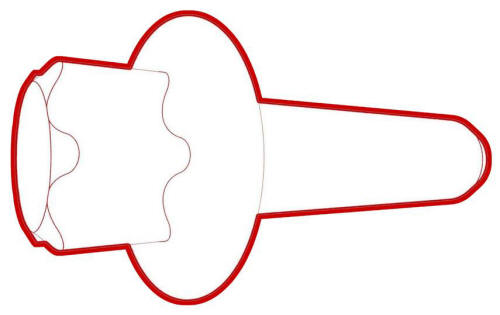 Torque 26.5 Nm
- Install the LH rear wheel. See Wheel (Remove and Install).
- Repeat step 1 through step 5 for the RH rear brake pad installation.
- Apply the parking brake by touching the Park button on the touchscreen.
- Pump the brake pedal to seat the pads against the brake rotor until the brake pedal feels firm.
- Check the brake fluid level and top off the brake fluid reservoir, if necessary.
- Perform vehicle road test using a series of ABS-active stops and make sure proper brake pedal feel and performance is achieved
READ NEXT:
 Brake Pad Kit - Rear (Sport Brakes) (Remove and Replace)
Brake Pad Kit - Rear (Sport Brakes) - Remove
Remove
Raise and support the vehicle. See Raise Vehicle - 2
Post Lift.
Remove the LH and RH rea
SEE MORE:
About Autopilot
How It Works
Your Model 3 includes the following Autopilot components that actively
monitor the surrounding
roadway:
A camera is mounted above the rear license plate.
Ultrasonic sensors are located in the front and rear bumpers.
A camera is mounted in each door pillar.
Three cameras
Mirrors
Adjusting Exterior Mirrors
Adjust the exterior mirrors by touching
Controls > Quick Controls > Mirrors. You can
choose which mirror you would like to adjust
by selecting Left or Right on the touchscreen.
Use the left scroll button on the steering
wheel to adjust the mirror to its desir
