
Tesla Model 3: Siren - Battery Backed (Remove and Replace)
Tesla Model 3 2017-2026 Service Manual / Electrical / Keyless Entry and Security / Siren - Battery Backed (Remove and Replace)
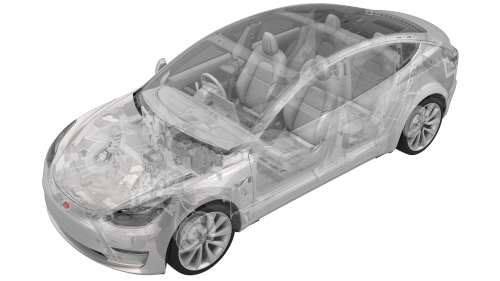
Remove
- Remove the front fascia assembly. See Fascia - Front (Remove and Install).
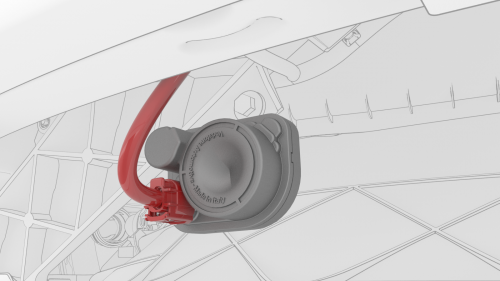
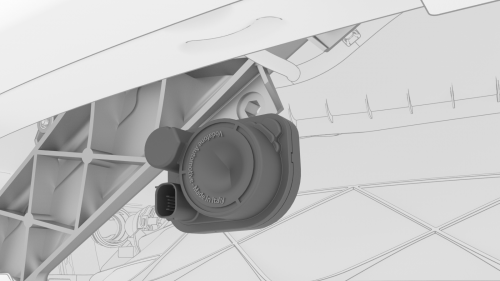
- Disconnect the connector from the battery backed siren.
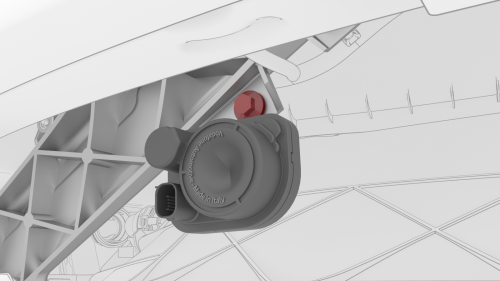
- Remove the bolt that attaches the battery backed siren to the front end
carrier, and then remove the siren from the vehicle.
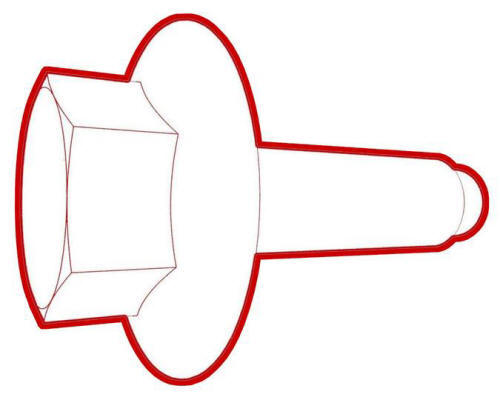 Torque 12 Nm
Install
- Position the battery backed siren to the front end module.
- Install the bolt (x1) that attaches the battery backed siren to the
front end module.
.png) Torque 12 Nm
Torque 12 Nm
- Connect the battery backed siren connector.
Note: Ensure that the connector locking tab is secured.
- Reinstall the front fascia assembly. See Fascia - Front (Remove and Install).
READ NEXT:
 Reservoir - Windshield Washer (Remove and Replace)
Remove
Remove the rear underhood apron. See
Underhood Apron - Rear (Remove and Replace).
Remove the cabin intake duct. See
Duct - Cabin Intake (Remove and Replace).
Remove the hood latch cover
Wiper Motor (Remove and Replace)
Wiper Motor- Remove
Remove
Remove the rear underhood apron. See
Underhood Apron - Rear (Remove and Replace).
Remove the cabin intake duct. See
Duct - Cabin Intake (Remove and Replace).
Remove
SEE MORE:
Remove Dirt Inclusion
Apply isopropyl alcohol to the general area of the defect, and then wipe
the area with a clean microfiber towel.
While wearing a nitrile glove, run hand over the area around the dirt
inclusion and check for fine bumps in the paint.
If bumps are detected, perform clay treatment on the
Airbag - Side - Driver (Remove and Replace)
DRAFT
Warning:
This procedure was derived from pre-production computer models, and
might not reflect the real-world situation. Warnings and cautions might be
missing. Follow safety requirements and use extreme caution when working on or
near high voltage systems and components.
Remove
Remove
© 2019-2026 Copyright www.tmodel3.com
