
Tesla Model 3: Brightwork - Upper - LH (Remove and Replace)
Tesla Model 3 2017-2026 Service Manual / Exterior Fittings / Exterior Trim / Brightwork - Upper - LH (Remove and Replace)
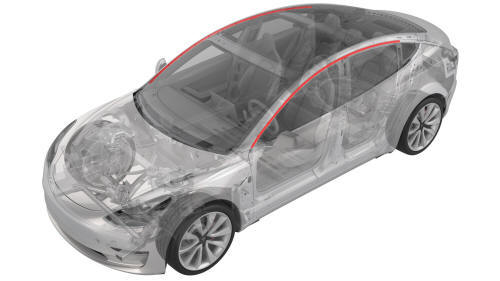
Remove
- Open the LH doors.
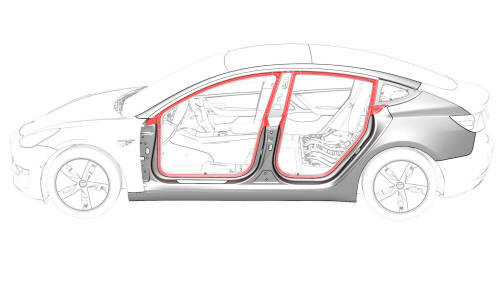
- Pull down to release the front and rear primary body seals from the LH upper brightwork.
Note: It is not necessary to release the seals from the top of the B-pillar applique.
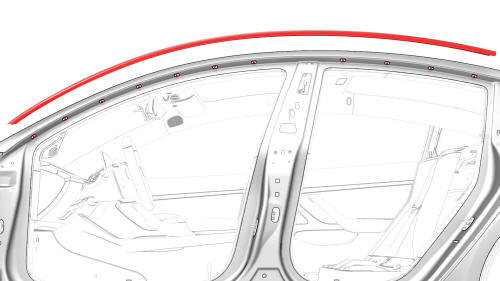
- Remove the push rivet and the screws (x10) that attach the LH upper brightwork to the body, and then carefully remove the brightwork from the vehicle.
Note: Work from the front to the rear.
Caution:
Use an assistant to help remove the brightwork from the rear quarter
glass, so as to minimize damage to the paint and trim.
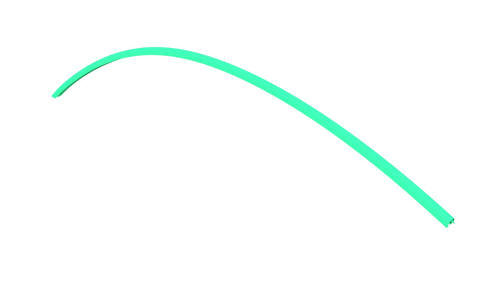
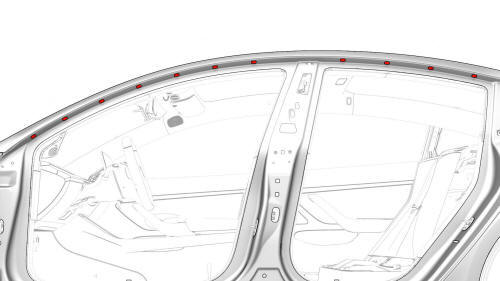
- Remove and discard the grommets (x10) from the body.
Install
- Wipe where the grommets will install with an IPA wipe.
- Install new grommets (x10) into the body were the LH upper brightwork will install.
- Press the seals into the body at the B-pillar corners.
- With assistance, carefully install the LH upper brightwork into the rear quarter glass.
- Install the LH upper brightwork to the body, and then install the screws
(x10) and push rivet that attach the brightwork to the body.
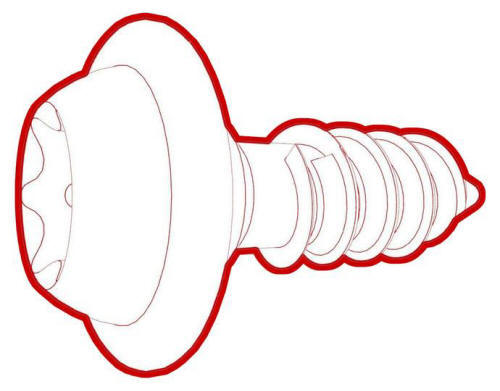 Torque 1 Nm Note: Work from the rear
to the front.
Torque 1 Nm Note: Work from the rear
to the front.
- Press up to fasten the rear and front primary body seals to the LH upper brightwork.
Note: Work from the rear corner of each seal forward, and make sure that the seal fully engages the brightwork. When installed correctly, the seal edge is not visible.
- Work each seal around the opening so as to evenly distribute it.
Note: Make sure to push the seal into each corner.
- Close the LH doors.
READ NEXT:
 Cover - Rocker Panel - Lower - LH (Remove and Replace)
Remove
Release the LH lower rocker panel bolt covers.
Remove the bolts that attach the LH lower rocker panel cover to the
body.
Torque 5 Nm
Front
Rear
Release the cli
Spoiler - Rear (Retrofit using Jig)
SPECIAL TOOLS
Kit, Spoiler Alignment, M3 (1479070-00-A )
Procedure
Clean the installation surface of the spoiler with isopropyl alcohol
(IPA) wipes, and allow it to dry before continuing.
Note
SEE MORE:
Latch - Seat Back - 2nd Row - LH (Remove and Replace)
Remove
Remove the 2nd row center seatbelt assembly. See
Seatbelt - 2nd Row - Center (Remove and Replace).
Release the cable clip that attaches the latch bracket to the seat back.
Release the clip that attaches the bracket stud to the seat back.
Remove the bolts that attach th
Vent Hose - 12V Battery (Remove and Replace)
Remove
Remove the rear underhood apron. See
Underhood Apron - Rear (Remove and Replace).
Remove the cabin intake duct. See
Duct - Cabin Intake (Remove and Replace).
Remove the hood latch cover. See
Cover - Hood Latch (Remove and Replace).
Remove the underhood storage unit. See
Underhood S
© 2019-2026 Copyright www.tmodel3.com
