
Tesla Model 3: Panel - Aero Shield - Front (Remove and Replace)
Tesla Model 3 2017-2026 Service Manual / Exterior Fittings / Undertray and Diffuser / Panel - Aero Shield - Front (Remove and Replace)
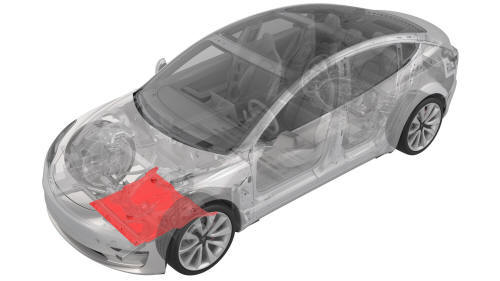
Remove
- Raise and support the vehicle. See Raise Vehicle - 2 Post Lift.
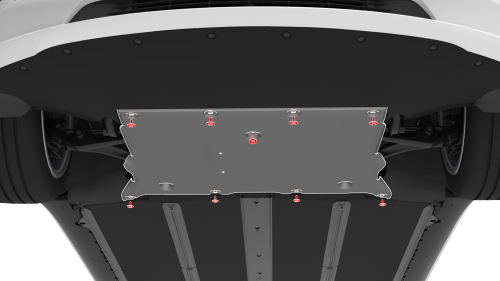
- Remove the bolts (x9) that attach the front aero shield panel to the vehicle.
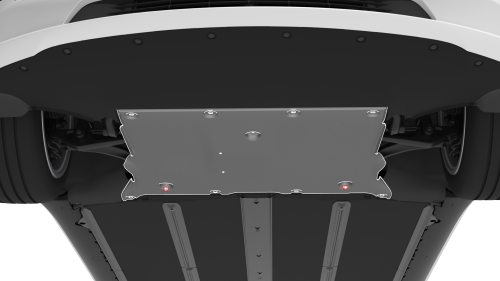
- Remove the nuts (x2) that attach the front aero shield panel to the
vehicle, and then remove the panel from the vehicle
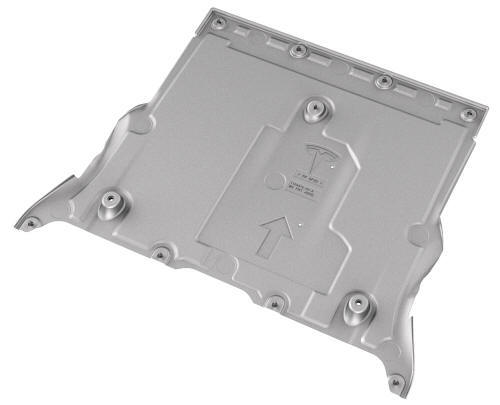
Install
- Apply a thin bead of Loctite 222 to the threads of the bolts (x9) that attach the front aero shield panel to the vehicle.
- Install the front aero shield panel to the underside of the vehicle, and then hand-tighten the nuts (x2) to temporarily hold the panel in place.
- Hand-tighten the bolts (x9) that attach the front aero shield panel to the vehicle.
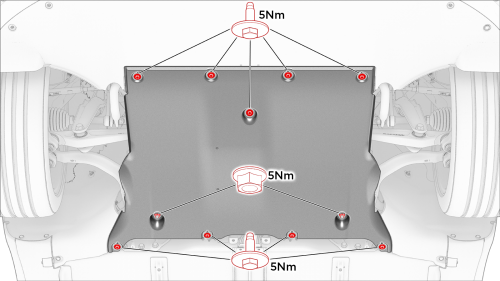
- Torque the nuts (x2) and bolts (x9) to the proper specification.
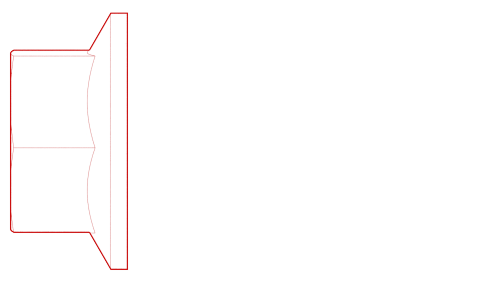 Torque 5 Nm
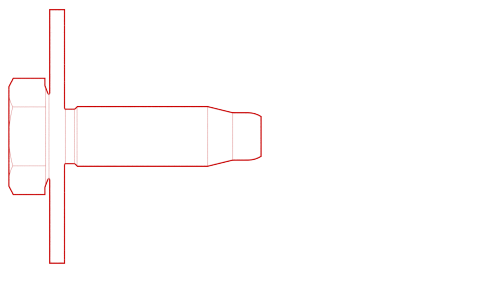 Torque 5 Nm
 - Lower the vehicle. See Raise Vehicle - 2 Post Lift.
READ NEXT:
 Panel - Aero Shield - Mid (Remove and Replace)
Remove
Raise and support the vehicle. See
Raise Vehicle - 2 Post Lift.
Remove the bolts (x13) that attach the mid aero shield panel to the
vehicle, and then remove the panel from the veh
Rear Lettering (Retrofit)
SPECIAL TOOLS
Fixture, Badge, Dual Motor/Perf, M3 (1475764-00-A)
Seam Roller, Silicone, 5" (1049517-00-A)
Procedure
Clean the trunk area where the "Dual Motor" badge is to be installed
with an
SEE MORE:
Collision Avoidance Assist
The following collision avoidance features are
designed to increase the safety of you and
your passengers:
Forward Collision Warning - provides
visual and audible warnings in situations
when Model 3 detects that there is a high
risk of a frontal collision
Automatic Emergency Braking -
Sensor - Relative Humidity and Temperature (Remove and Replace)
Remove
Remove the lower quad camera cover. See Quad Camera Cover - Lower
(Remove and Replace).
Remove the rear view mirror. See Mirror - Rear View (Remove and
Replace).
Remove the forward facing camera. See Camera - Forward Facing (Remove
and Replace).
Disconnect the electrical co
© 2019-2026 Copyright www.tmodel3.com
