
Tesla Model 3: Pressure Transducer - High Pressure (Remove and Replace)
Tesla Model 3 2017-2026 Service Manual / Thermal Management / Refrigerant System / Pressure Transducer - High Pressure (Remove and Replace)
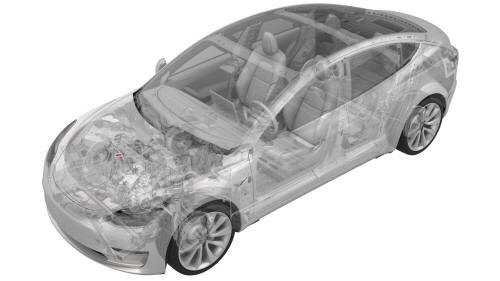
Remove
- Remove the underhood storage unit. See Underhood Storage Unit (Remove and Replace).
- Perform the A/C refrigerant recovery. See A/C Refrigerant (Recovery and Recharge).
- Remove the outer HVAC plenum duct. See Duct - HVAC Plenum - Outer (Remove and Replace).
- Disconnect the electrical harness from the high pressure transducer connector.
.png)
- Remove the high pressure transducer from the discharge pipe.
.png) Torque 7 Nm
Torque 7 Nm
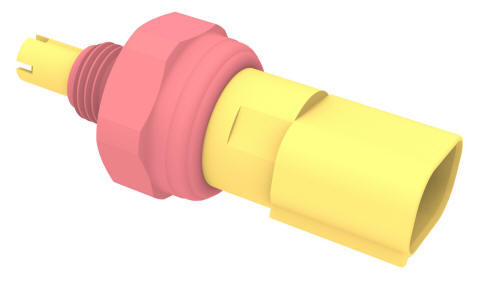
Install
Installation procedure is the reverse of removal, except for the following: Perform the A/C refrigerant recharge. See A/C Refrigerant (Recovery and Recharge).
READ NEXT:
 Pressure Transducer - Low Pressure (Remove and Replace)
Remove
Recover the A/C refrigerant. See A/C Refrigerant (Recovery and Recharge).
Note: Completely recover the refrigerant before continuing this
procedure.
Disconnect 12V power. See 12V Power
Receiver Dryer and Desiccant (Remove and Replace)
Receiver Dryer and Desiccant- Remove
SPECIAL TOOLS
Remove
Perform the A/C refrigerant recovery. See A/C Refrigerant (Recovery and
Recharge).
Remove the bolts (x2) that attach the underhood
SEE MORE:
Sensor - Cabin Temperature (Remove and Replace)
Note: This procedure was formulated using a release candidate
or production model. Follow safety requirements and use extreme caution when
working on or near high-voltage systems and components.
Remove
Open the LH front door.
Lower the LH front window.
Release the clips that atta
Platter Enclosure Coolant (Drain and Refill)
SPECIAL TOOLS
Drive Unit Pressure Test Fixture (1053600-00-C)
Kit, Coolant Leak Test Adapters, Model 3 (1132185-00-B)
Kit, Coolant Drain & Fill Adapters, M3 (1133843-00-A)
Kit, Svc Plug, Cooling Hose, Model 3 (1135762-00-A)
Kit, Battery Coolant Drain and Fill (GSN-TL-000564)
Drain
Disconnect 1
© 2019-2026 Copyright www.tmodel3.com
