
Tesla Model 3: Seal - Hood (Remove and Replace)
Tesla Model 3 2017-2026 Service Manual / Closures / Seals Body Closures / Seal - Hood (Remove and Replace)
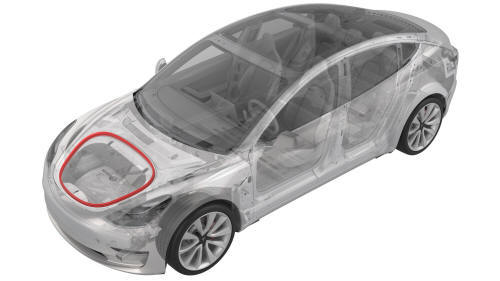
Remove
- Open the hood.
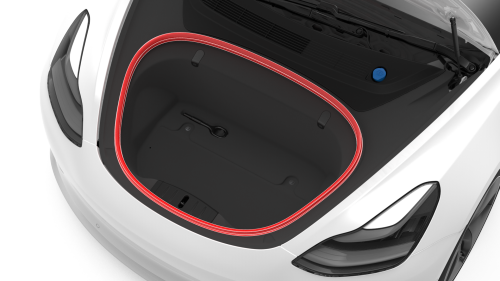
- Release the seal from the underhood storage unit, and then remove the
seal from the underhood storage unit.
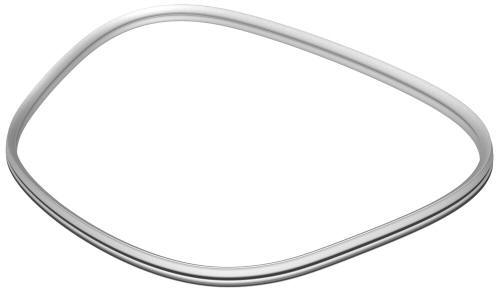
Install
Installation procedure is the reverse of removal, except for the following:
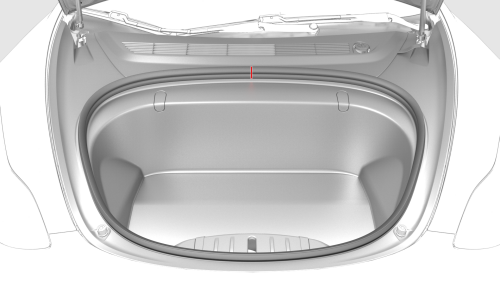
During installation, align the line from the seal to the line from the underhood storage unit.
READ NEXT:
 Seal - Inner Belt - Front Door - LH (Remove and Replace)
Remove
Remove the LH front door trim panel. See
Panel - Door Trim - Front - LH (Remove and Replace).
Remove the rear of the inner belt seal from the door.
Release the rest of the seal fro
Seal - Inner Belt - Rear Door - LH (Remove and Replace)
Remove
Remove the LH rear door trim panel. See
Panel - Door Trim - Rear - LH (Remove and Install).
Release the clips that attach the rear and front pieces of the inner
belt seal to the r
Seal - Outer Belt - Front Door - LH (Remove and Replace)
Remove
Remove the LH front door trim panel. See
Panel - Door Trim - Front - LH (Remove and Install).
Pull up to release the seal that attaches the LH front door outer belt
seal to the fr
SEE MORE:
End Cap - Air Wave - LH (Remove and Replace)
Remove
Remove the LH instrument panel end cap. See
End Cap - Instrument Panel - LH (Remove and Replace).
Release the clips that attach the LH air wave end cap to the main
instrument panel decor trim, and then remove the cap from the vehicle.
Install
Installation procedure is the re
Sensor - Airbag - Front - Center (Remove and Replace)
Note:
This procedure was formulated using a release candidate or production
model. Follow safety requirements and use extreme caution when working on or
near high-voltage systems and components.
Remove
Open all the doors.
Lower all the windows.
Remove the 2nd row lower seat cushion. See Sea
© 2019-2026 Copyright www.tmodel3.com
