
Tesla Model 3: Seal - Outer Belt - Front Door - LH (Remove and Replace)
Tesla Model 3 2017-2026 Service Manual / Closures / Seals Body Closures / Seal - Outer Belt - Front Door - LH (Remove and Replace)
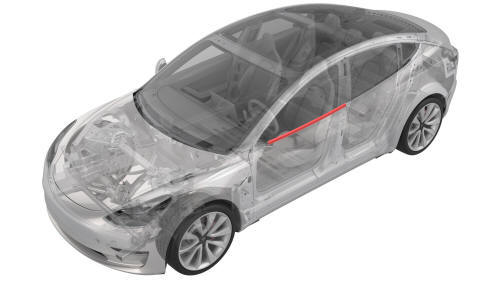
Remove
- Remove the LH front door trim panel. See Panel - Door Trim - Front - LH (Remove and Install).
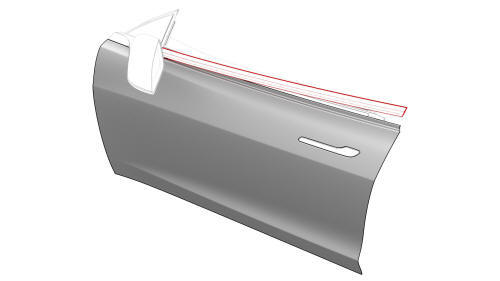
- Pull up to release the seal that attaches the LH front door outer belt
seal to the front door, and then remove the seal from the door.
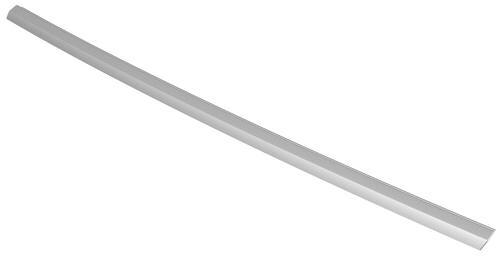
Install
Installation procedure is the reverse of removal.
READ NEXT:
 Seal - Outer Belt - Rear Door - LH (Remove and Replace)
Note:
This procedure was formulated using a release candidate or production
model. Follow safety requirements and use extreme caution when working on or
near high-voltage systems and components.
Seal - Secondary - Front Door - LH (Remove and Replace)
Remove
Open the LH front door.
Use narrow-width tape to carefully mark the location of the secondary
seal around the door.
Caution:
Make sure that the edge of the tape accurately follows the
Seal - Secondary - Rear Door - LH (Remove and Replace)
Remove
Open the LH rear door.
Use narrow-width tape to carefully mark the location of the secondary
seal around the door.
Caution:
Make sure that the edge of the tape accurately follows the
SEE MORE:
Airbag - Knee - Driver (Remove and Install)
Remove
Remove the LH center console side panel carpet. See Carpet - Side Panel
- Center Console - LH (Remove and Replace).
Disconnect 12V power. See 12V Power (Disconnect and Connect).
Remove the driver footwell cover. See Cover - Footwell - Driver (Remove
and Replace).
Remove the T20
Phone
Bluetooth Compatibility
You can use your Bluetooth-capable phone
hands-free in Model 3 provided your phone is
within operating range. Although Bluetooth
typically supports wireless communication
over distances of up to approximately 30 feet
(9 meters), performance can vary based on
the phone y
© 2019-2026 Copyright www.tmodel3.com
