
Tesla Model 3: Sensor - Airbag - Door - Front (Remove and Replace)
Tesla Model 3 2017-2026 Service Manual / Safety and Restraint / Sensors / Sensor - Airbag - Door - Front (Remove and Replace)
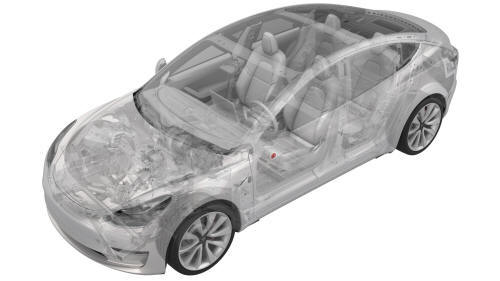
Note: This procedure was formulated using a release candidate or production model. Follow safety requirements and use extreme caution when working on or near high-voltage systems and components
Remove
- Remove the 2nd row lower seat cushion. See Seat Cushion - Lower - 2nd Row (Remove and Replace).
- Remove the rear underhood apron. See Underhood Apron - Rear (Remove and Replace).
- Disconnect 12V power. See 12V Power (Disconnect and Connect).
- Remove the front LH door trim panel. See Panel - Door Trim - Front - LH (Remove and Install).
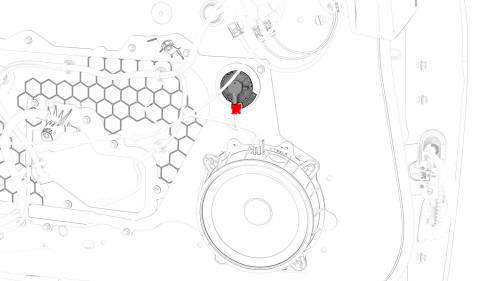
- Disconnect the electrical connector from the front door airbag sensor.
- Twist the tabs counterclockwise and remove the front door airbag sensor from the closeout panel.
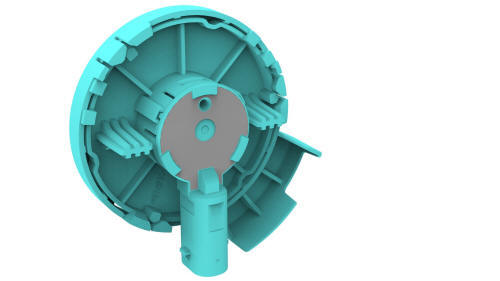
Install
Installation procedure is the reverse of removal.
READ NEXT:
 Sensor - Airbag - Front - Center (Remove and Replace)
Note:
This procedure was formulated using a release candidate or production
model. Follow safety requirements and use extreme caution when working on or
near high-voltage systems and components.
Sensor - Airbag - Front - LH (Remove and Replace)
Remove
Remove the front LH wheel arch liner. See Wheel Arch Liner - Front - LH
(Remove and Replace).
Disconnect the electrical wiring harness connector from the LH front
airbag sensor.
SEE MORE:
Superbottle (RWD) (Remove and Replace)
Superbottle (RWD) - Remove
SPECIAL TOOLS
Kit, Svc Plug, Cooling Hose, Model 3 (1135762-00-A)
Remove
Disconnect 12V power. See 12V Power (Disconnect and Connect).
Remove the underhood storage unit. See Underhood Storage Unit (Remove
and Replace).
Recover the A/C refrigerant. See A/C Refrigera
Seat Back - 2nd Row - RH (Remove and Install)
Remove
Remove the 2nd row lower seat cushion. See
Seat Cushion - Lower - 2nd Row (Remove and Replace).
Remove the RH 2nd row seat side bolster. See
Bolster - Side - Seat - 2nd Row - LH (Remove and Replace).
Release the clips that attach the bolster bracket, and the remove the
bracket fr
© 2019-2026 Copyright www.tmodel3.com
