
Tesla Model 3: Sensor - Parking Distance - Rear - Each (Remove and Replace)
Tesla Model 3 2017-2026 Service Manual / Electrical / Parking Sensors / Sensor - Parking Distance - Rear - Each (Remove and Replace)
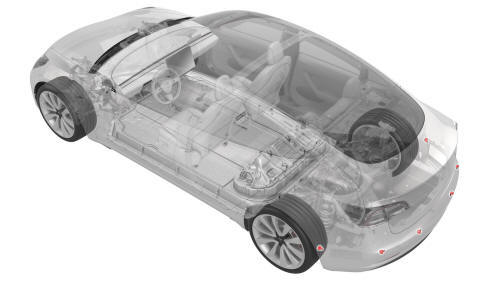
Remove
- Remove the rear fascia. See Fascia - Rear (Remove and Install).
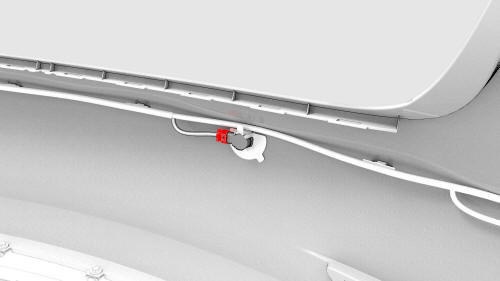
- Disconnect the electrical harness from the rear parking distance sensor connector.
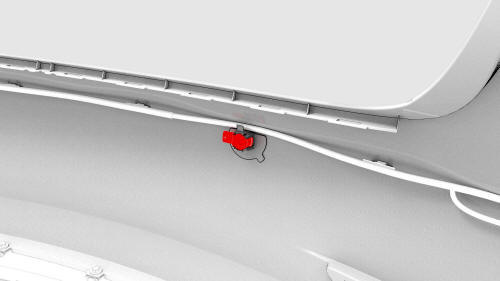
- Release the clips that attach the rear parking distance sensor to the
rear fascia, and then remove the sensor from the rear fascia.
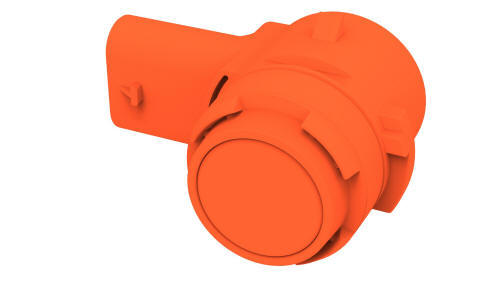
Install
Installation procedure is the reverse of removal.
READ NEXT:
 Power Socket 12V - Center Console (Remove and Replace)
Remove
Disconnect 12V power. See 12V Power (Disconnect and Connect).
Remove the center console decor trim. See Decor Trim - Center Console (Remove
and Replace).
Remove the screws and release t
Switch - Steering Wheel - LH (Remove and Replace)
Remove
Remove the driver airbag. See Airbag - Driver (Remove and Replace).
Disconnect the steering wheel electrical wiring harness from the
connector.
Disconnect the electrical harness
SEE MORE:
Front Trunk
Opening/ Closing
Opening
To open the front trunk:
Ensure that the area around the hood is
free of obstacles.
Touch the associated OPEN button on the
touchscreen, double-click the front trunk
button on the key fob accessory, or touch
the front trunk button on the mobile app.
&n
Duct - HVAC Plenum - Inner (Remove and Replace)
Remove
Remove the rear underhood apron. See
Underhood Apron - Rear (Remove and Replace).
Remove the outer HVAC plenum. See
Duct - HVAC Plenum - Outer (Remove and Replace).
Remove the hood latch cover. See
Cover - Hood Latch (Remove and Replace).
Remove the underhood storage unit. See
Unde
© 2019-2026 Copyright www.tmodel3.com
