
Tesla Model 3: Switch - Steering Wheel - LH (Remove and Replace)
Tesla Model 3 2017-2026 Service Manual / Electrical / Interior Switches / Switch - Steering Wheel - LH (Remove and Replace)
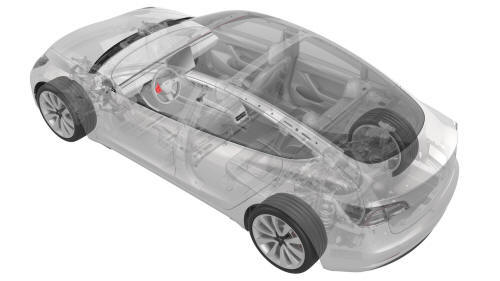
Remove
- Remove the driver airbag. See Airbag - Driver (Remove and Replace).
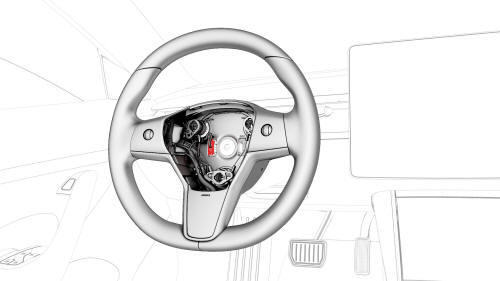
- Disconnect the steering wheel electrical wiring harness from the connector.
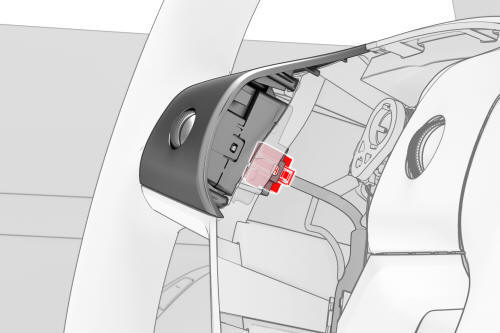
- Disconnect the electrical harness from the LH steering wheel switch connector.
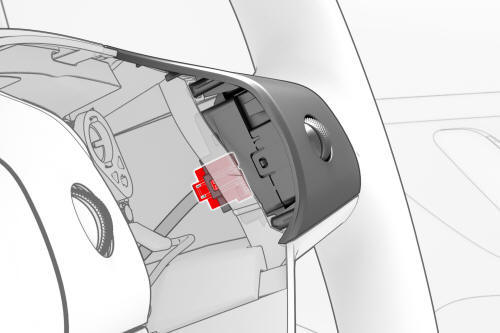
- Disconnect the electrical harness from the RH steering wheel switch connector.
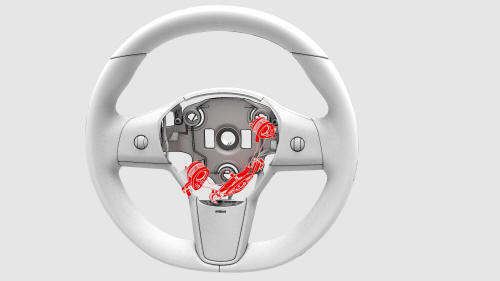
- Release the clips that attach the horn assembly, and then move the horn assembly to the side.
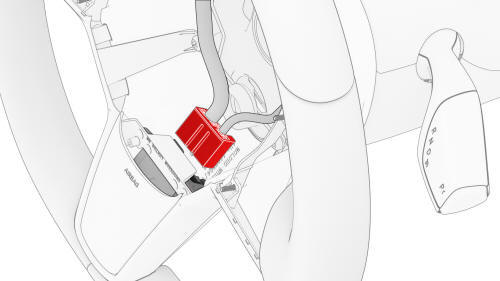
- Disconnect the electrical harness from the lower connector, and then remove the electrical harness from the steering wheel.
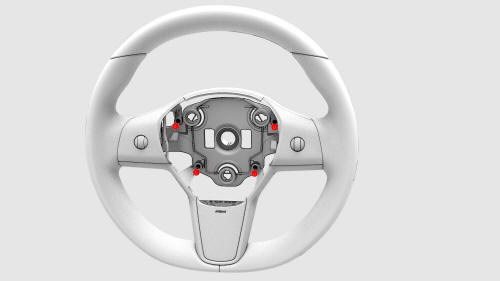
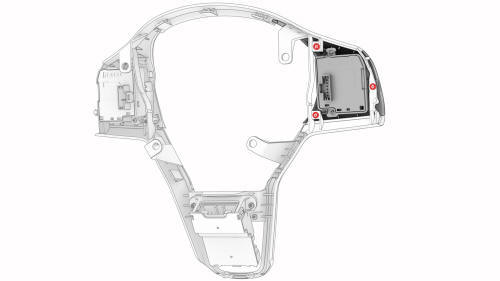
- Remove the screws that attach the bright surround to the steering wheel,
and then remove the surround.
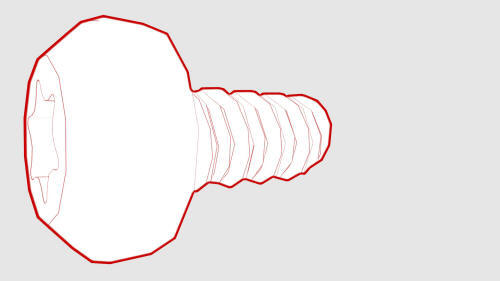 Torque 5.4 Nm
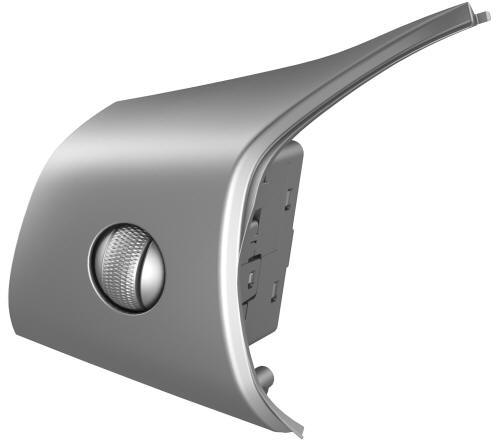
- Remove the screws that attach the LH steering wheel switch to the bright
surround, and then remove the switch from the surround.
Torque 0.9 Nm
Install
Installation procedure is the reverse of removal.
READ NEXT:
 Switch - Steering Wheel - RH (Remove and Replace)
Remove the driver airbag. See Airbag - Driver (Remove and Replace).
Disconnect the steering wheel electrical wiring harness from the
connector.
Disconnect the electrical harness from t
Puddle Light - Front Door - LH (Remove and Replace)
Remove
Use a small screwdriver or pry tool in the slot at the front of the
puddle light to pry the light out of the bottom of the front LH door trim
panel.
Release the clips that attach
SEE MORE:
Contactor - Fast Charge - HV Battery (Remove and Replace)
Contactor - Fast Charge - HV Battery - Remove
SPECIAL TOOLS
Ratchet, 1/4" Sq Dr, HV Insulated (1057602-00-A)
Ext Bar, Wobble, 1/4" Dr, HV Insulated (1057603-00-A)
Skt, 1/4" Sq Dr, 13mm, HV Insulated (1057606-00-A)
Magnet, Flexible, HV Insulated, 18" (1057607-00-A)
Connector Removal, Coolant, PCS,
Reporting Safety Defects
Contacting Tesla
For detailed information about your Model 3,
go to www.tesla.com, and log on to your Tesla
Account, or sign up to get an account.
If you have any questions or concerns about
your Model 3, call 1-877-79TESLA
(1-877‑798-3752).
Note: You can also use voice commands to
p
© 2019-2026 Copyright www.tmodel3.com
