
Tesla Model 3: Sensor - Temperature - RH (Remove and Replace)
Tesla Model 3 2017-2026 Service Manual / Thermal Management / Cabin HVAC / Sensor - Temperature - RH (Remove and Replace)
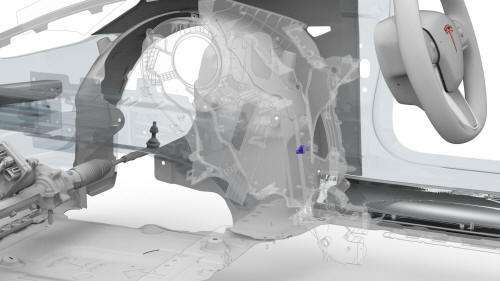
Remove
- Remove the RH center console side panel carpet. See Carpet - Side Panel - Center Console - LH (Remove and Replace).
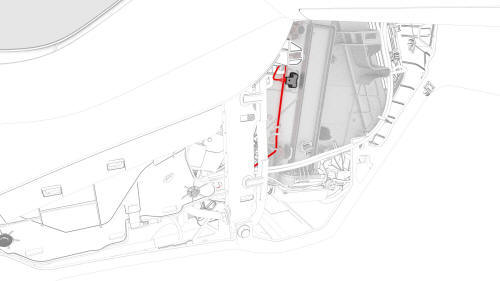
- Disconnect the electrical wiring harness conector from the RH temperature sensor.
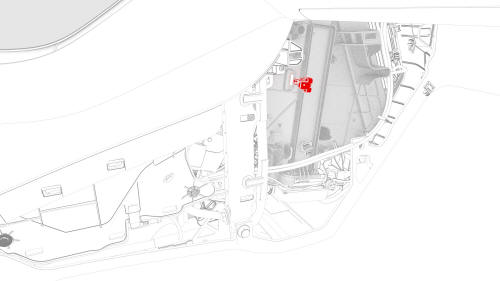
- Release the tabs that attach the RH temperature sensor to the HVAC
module, and then remove the LH temperature sensor.
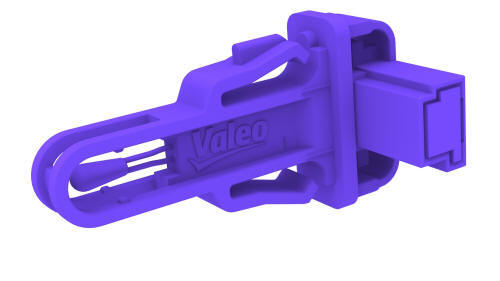
Install
Installation procedure is the reverse of removal.
READ NEXT:
 A/C Refrigerant Leak Detection
SPECIAL TOOLS
Tool, Flashlight, UV (1053591-00-A)
UV Leak Detection Kit (1080563-01-A)
Procedure
Remove the rear underhood apron. See
Underhood Apron - Rear (Remove and Replace).
Remove the cabi
A/C Refrigerant (Recovery and Recharge)
A/C Refrigerant- DRAFT
Warning:
This procedure was derived from pre-production computer models, and
might not reflect the real-world situation. Warnings and cautions might be
missing. Follow safe
SEE MORE:
Penthouse Air Leak Test
SPECIAL TOOLS
Pack Enclosure Leak Tester, HV Battery (1026636-00-A)
Pack Kit, Enclosure, Leak Test, HV Battery, Complete (1140501-00-A)
Kit, Encl Leak Test Adapters, HV Battery (1144879-00-A)
Kit, Dummy Plug (1455410-00-A)
Cap, Logic Conn, Inv, 3DU (1108272-00-B)
Parent topic:
1610 - HV Battery En
Drive Unit - Front (Remove
and Replace)
Drive Unit - Front - Remove
SPECIAL TOOLS
Tool, Axle Extraction, Model 3 (1133386-00-A)
Lifting Sling, Drive Unit, Model 3 (NA, APAC)
(1130279-00-A)
© 2019-2026 Copyright www.tmodel3.com
