
Tesla Model 3: Switch - Exterior Release - Trunk (Remove and Replace)
Tesla Model 3 2017-2026 Service Manual / Closures / Latches Strikers and Pinch Sensors / Switch - Exterior Release - Trunk (Remove and Replace)
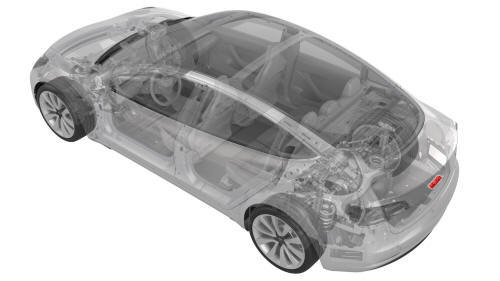
Remove
- Remove the trunk lid trim. See Trim - Lid - Trunk (Remove and Replace).
.jpg)
.jpg)
- Disconnect the electrical connectors from the trunk exterior release switch and the rear facing camera.
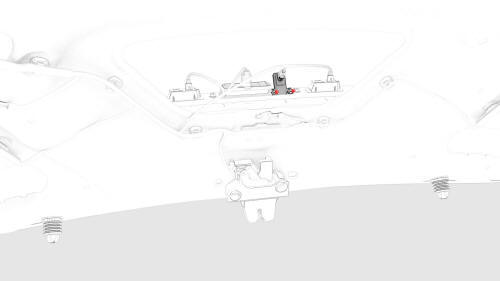
- Remove the bolts that attach the rear facing camera to the trunk exterior release switch, and remove the camera from the switch.
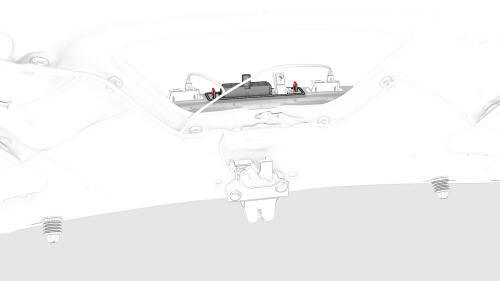
- Remove the nuts that attach the trunk exterior release switch to the
trunk lid, and remove the switch from the vehicle.
.png) Torque 4 Nm
Torque 4 Nm
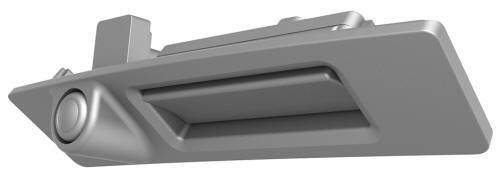
Install
Installation procedure is the reverse of removal.
READ NEXT:
 Hall Sensor - Exterior Release - Door - Front - LH (Remove and Replace)
Remove
Remove the LH front door trim panel. See Panel - Door Trim - Front - LH
(Remove and Install).
Remove the LH front door inner belt seal. See Seal - Inner Belt - Front
Door - LH (Remove
Hall Sensor - Exterior Release - Door - Rear - LH (Remove and Replace)
Remove
Remove the rear LH door trim panel. See Panel - Door Trim - Rear - LH
(Remove and Install).
Remove the LH rear door inner belt seal. See Seal - Inner Belt - Rear
Door - LH (Remove and
SEE MORE:
Braking and Stopping
Braking Systems
Warning: Properly functioning braking
systems are critical to ensure safety. If
you experience a problem with the brake
pedal, brake caliper, or any component of
a Model 3 braking system, contact Tesla
immediately.
Model 3 has an anti-lock braking system (ABS)
that prevents th
Smart Summon
Smart Summon (if equipped) is designed to
allow you to move Model 3 to your location
(using your phone's GPS as a target
destination) or to a location of your choice,
maneuvering around and stopping for objects
as necessary. Smart Summon works with the
Tesla mobile app when your phone is l
© 2019-2026 Copyright www.tmodel3.com
