
Tesla Model 3: Switch - Window - Front Passenger (Remove and Replace)
Remove
Tip: Release the front clips first, and then release the outer rear clips
while pushing the front passenger window switch to release it from the door trim
panel. Note: Replace any broken door panel clips Install
Switch - Window - Front Passenger (Remove and Replace) - Remove
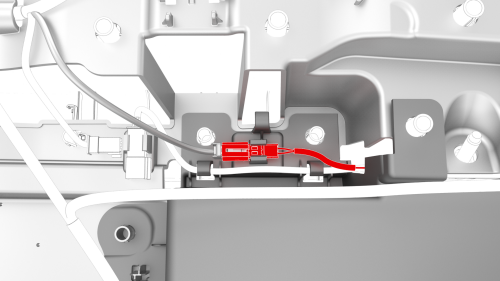
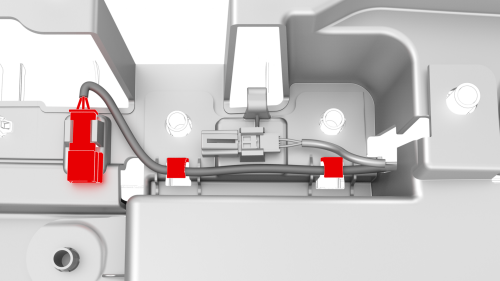
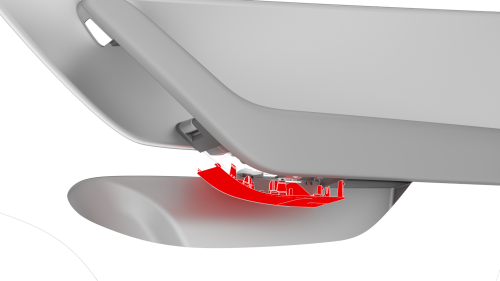
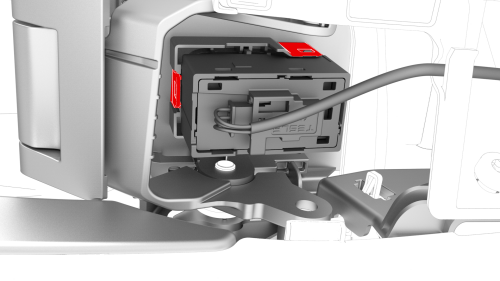
Switch - Window - Front Passenger (Remove and Replace) - Install
READ NEXT:
 Switch - Window - Rear (Remove and Replace)
Remove
Remove the LH rear door trim panel. See
Panel - Door Trim - Rear - LH (Remove and Install).
Release the clips that attach the rear window switch to the door trim
panel.
Ti
SEE MORE:
Sensor - Radar - Front (Remove and Replace)
Remove
Remove the front fascia. See Fascia - Front (Remove and Install).
Release the clip that attaches the front radar sensor wiring harness to
the front end carrier.
Disconnect the electrical harness connector from the radar sensor.
Release the clips that attach the radar sens
Beam - Cross Car (Remove and Replace) - Install
Install
With an assistant, position the cross car beam in the vehicle for
installation.
Caution:
Do not damage the interior when installing the cross car beam in the
vehicle.
Hand-tighten the bolts that attach the LH and RH corners of the cross
car beam to the body.
Hand-tighten the b
