Tesla Model 3: Taillight - LH (Remove and Replace)
Taillight - LH- Remove
SPECIAL TOOLS
SKT, BUMP STOP, MDL 3 (1460222-00-B)
Remove
- Remove the 2nd row lower seat cushion. See
Seat Cushion - Lower - 2nd Row (Remove and Replace).
.jpg)
- Open the trunk, and then use the bump stop removal tool to remove the LH
trunk stop.
Caution: Do not use other tools to pry at the trunk stop as this
could damage the taillight or trunk stop.
- Remove the trunk floor trim. See
Trim - Floor - Trunk (Remove and Replace).
- Remove the trunk sill trim. See
Trim - Sill - Trunk (Remove and Replace).
- Remove the LH 2nd row seat side bolster. See
Bolster - Side - Seat - 2nd Row - LH (Remove and Replace).
- Remove the LH 2nd row seatback. See
Seat Back - 2nd Row - LH (Remove and Install).
- Remove the trunk side trim.
- For the LH side, see
Trim - Side - Trunk - LH (Remove and Replace).
- For the RH side, see
Trim - Side - Trunk - RH (Remove and Replace).
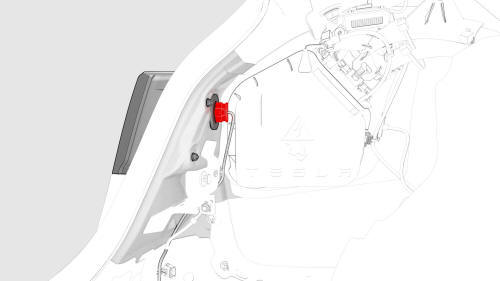
- Disconnect the electrical harness from the taillight connector.
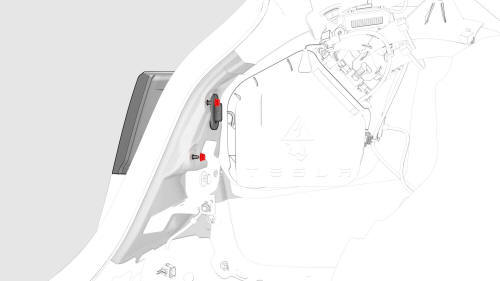
- Remove the nuts that attach the taillight to the vehicle.
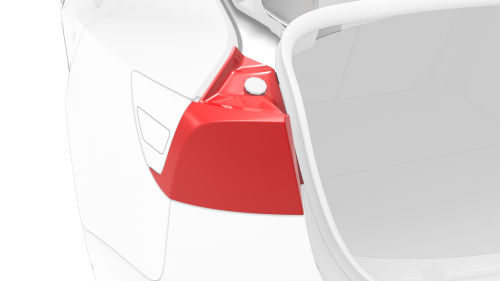
- Remove the taillight assembly from the vehicle.
Tip: Lift the trunk seal for better clearance.
- Remove and discard the grommets from the vehicle.
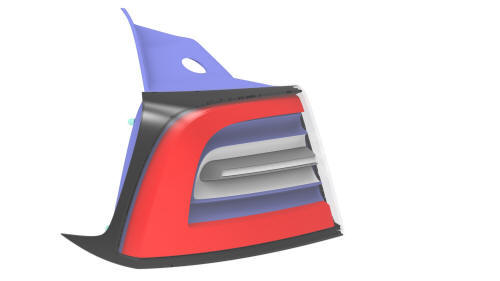
Taillight - LH - Install
Install
- If the taillight is to be reinstalled, replace the gaskets from around
each taillight mounting bolt (x2) and the taillight electrical connector
(x1).
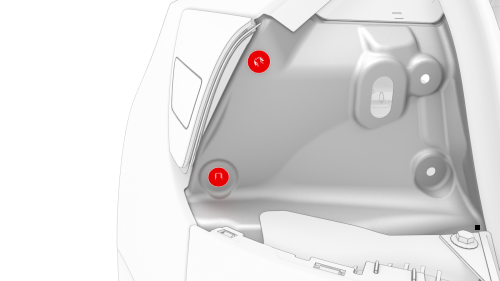
- Install new grommets onto the vehicle.
- Position the LH taillight studs into the grommets, and then install the
taillight onto the vehicle.
Note: Reseat the trunk seal over the LH taillight.
- Install the nuts that attach the taillight to the vehicle.
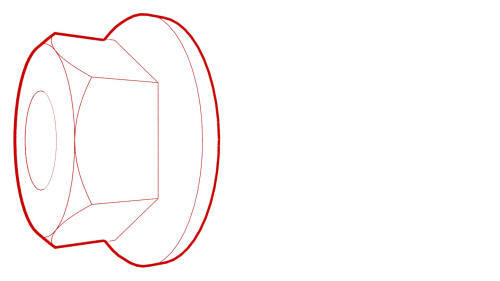 Torque 3.2 Nm
- Connect the electrical harness to the taillight connector.
- Install the trunk side trim.
- For the LH side, see
Trim - Side - Trunk - LH (Remove and Replace).
- For the RH side, see
Trim - Side - Trunk - RH (Remove and Replace).
- Install the trunk sill trim. See
Trim - Sill - Trunk (Remove and Replace).
- Install the LH 2nd row seatback. See
Seat Back - 2nd Row - LH (Remove and Install).
- Install the LH 2nd row seat side bolster. See
Bolster - Side - Seat - 2nd Row - LH (Remove and Replace).
- Install the 2nd row lower seat cushion. See
Seat Cushion - Lower - 2nd Row (Remove and Replace).
- Install the trunk floor trim. See
Trim - Floor - Trunk (Remove and Replace).
- Use the bump stop removal tool to install the LH trunk stop.
READ NEXT:
Remove
Note: This procedure applies only to the RH side. The LH rear
reflex lens is part of the charge port.
Apply masking around the RH rear reflex lens.
Use a plastic trim tool to release th
SEE MORE:
Remove
Remove the cabin filters. See
Remove.
Attach the hose to the evaporator cleaner bottle.
Insert the hose in the HVAC filter housing, and then spray the entire
bottle on the evaporator.
Note: Be sure to coat the entire evaporator with the
cleaning solution.
Let the cleaning sol
DRAFT
Warning:
This procedure was derived from pre-production computer models, and
might not reflect the real-world situation. Warnings and cautions might be
missing. Follow safety requirements and use extreme caution when working on or
near high voltage systems and components.
SPECIAL TOOLS

 Reflex Lens - Rear - RH (Remove and Replace)
