
Tesla Model 3: Vent Hose - 12V Battery (Remove and Replace)
Tesla Model 3 2017-2026 Service Manual / Electrical / 12V Battery and Fuses / Vent Hose - 12V Battery (Remove and Replace)
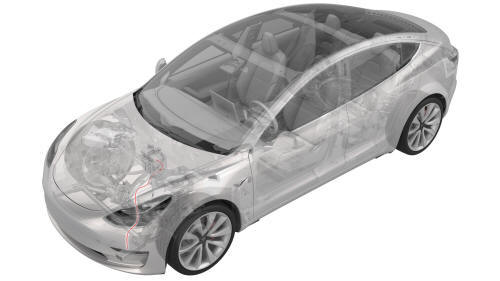
Remove
- Remove the rear underhood apron. See Underhood Apron - Rear (Remove and Replace).
- Remove the cabin intake duct. See Duct - Cabin Intake (Remove and Replace).
- Remove the hood latch cover. See Cover - Hood Latch (Remove and Replace).
- Remove the underhood storage unit. See Underhood Storage Unit (Remove and Replace).
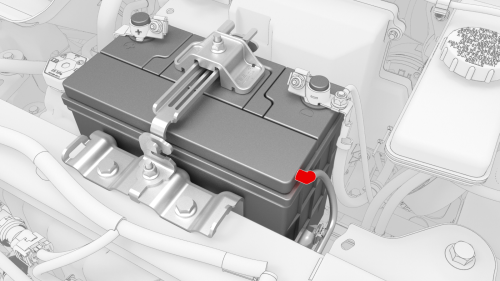
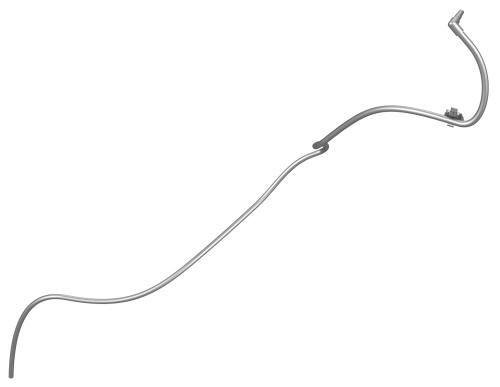
- Remove the 12V battery vent hose from the LH side of the 12V battery.
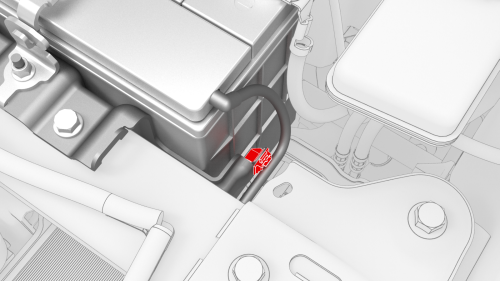
- Release the 12V battery vent hose clip from the 12V battery bracket.
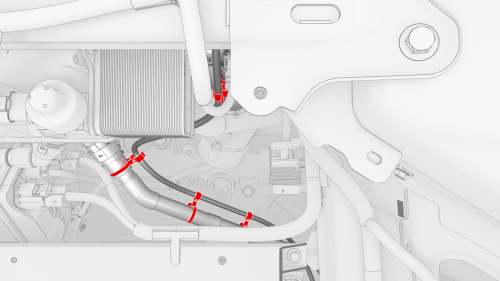
- Release the clips that attach the 12V battery vent hose to the vehicle,
and then remove the vent hose.
Install
Installation procedure is the reverse of removal.
READ NEXT:
 Busbar - DCDC Ground (Remove and Replace)
Remove
Disconnect 12V power. See
12V Power (Disconnect and Connect).
Remove and discard the nut that attaches the DCDC ground busbar to the
HV battery at the DCDC passthrough.
Remove
Harness - 12V Battery Ground (Remove and Replace)
Harness - 12V Battery Ground-Remove
Remove
Remove the cowl screen panel. See
Panel - Cowl Screen (Remove and Replace).
Remove and discard the nut that attaches the front harness ground wire
SEE MORE:
Forward Facing (Remove and Replace)
Remove
Remove the rear view mirror. See Mirror - Rear View (Remove and Replace).
Release the clips that attach the mirror front cover to the windshield
bracket, and then separate the cover from the bracket.
Disconnect the electrical harness from the occupant camera, and then
remove the
Amplifier - Antenna - FM (Remove and Replace)
Remove
Remove the LH side rail trim. See Trim - Side Rail - LH (Remove and
Install).
Disconnect the electrical connector from the FM antenna amplifier.
Remove the bolt and release the clip that attach the FM antenna
amplifier to the C-pillar, and then remove the amplifier from the
© 2019-2026 Copyright www.tmodel3.com
