
Tesla Model 3: Battery - 12V (Remove and Replace)
Tesla Model 3 2017-2026 Service Manual / Electrical / 12V Battery and Fuses / Battery - 12V (Remove and Replace)
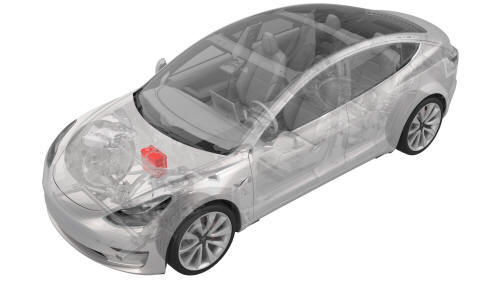
Remove
- Remove the 2nd row lower seat cushion. See Seat Cushion - Lower - 2nd Row (Remove and Replace).
- Remove the rear underhood apron. See Underhood Apron - Rear (Remove and Replace).
- Remove the cabin intake duct. See Duct - Cabin Intake (Remove and Replace).
- Disconnect 12V power. See 12V Power (Disconnect and Connect).
- Remove the cover for the 12V positive terminal.
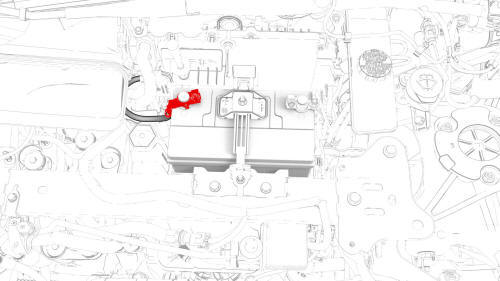
- Loosen the nut that attaches the positive lead to the battery, and then
remove the lead from the battery.
.jpg) Torque 6 Nm
Torque 6 Nm - Remove the 12V battery strap. See Strap - 12V Battery (Remove and Replace).
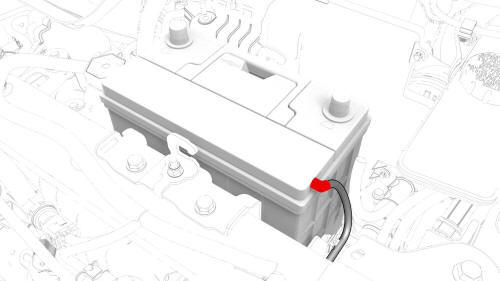
- Disconnect the hose from the LH side of the battery, and then remove the
battery from the vehicle
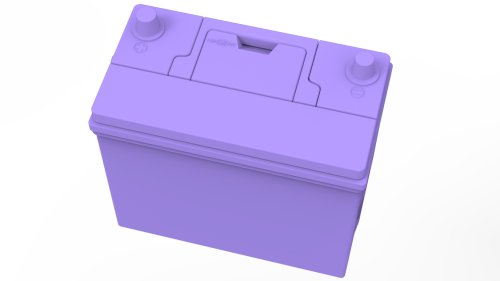
Install
Installation procedure is the reverse of removal, except for the following:
Caution:
Before installing the new battery, make sure that the new battery's Open Circuit Voltage (OCV) is above 12.6V. If the OCV is between 12.4V and 12.6V, recharge the new battery. Any battery below 12.4V must be discarded.
READ NEXT:
 Beam - 12V Battery (Dual Motor) (Remove and Replace)
Remove
Remove the 2nd row lower seat cushion. See
Seat Cushion - Lower - 2nd Row (Remove and Replace).
Remove the rear underhood apron. See
Underhood Apron - Rear (Remove and Replace).
Remove
Beam - 12V Battery (RWD) (Remove and Replace)
Beam - 12V Battery (RWD) - Remove
Remove
Remove the 2nd row lower seat cushion. See
Seat Cushion - Lower - 2nd Row (Remove and Replace).
Remove the rear underhood apron. See
Underhood Apron - R
SEE MORE:
Beam - Cross Car (Remove and Replace) - Remove
Remove
Remove the IP carrier. See
IP Carrier (Remove and Install).
Remove the LH air wave duct. See
Duct - Air Wave - LH (Remove and Replace).
Remove the LH footwell duct. See
Duct - Footwell - LH (Remove and Replace).
Remove the clips that attach the LH side of the main carpet to th
Harness - Door - Front - LH (Remove and Replace)
Remove
Partially raise the vehicle to a comfortable working height. See Raise
Vehicle - 2 Post Lift.
Remove the 2nd row lower seat cushion. See Seat Cushion - Lower - 2nd
Row (Remove and Replace).
Remove the rear underhood apron. See Underhood Apron - Rear (Remove and
Replace).
Disconne
© 2019-2026 Copyright www.tmodel3.com
