
Tesla Model 3: Decor Trim - Center Console (Remove and Replace)
Tesla Model 3 2017-2026 Service Manual / Interior Trim / Center Console / Decor Trim - Center Console (Remove and Replace)
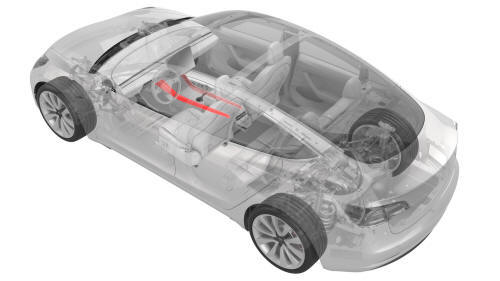
Remove
- Open the LH front door.
- Move the LH front seat to the lowest and most rearward position.
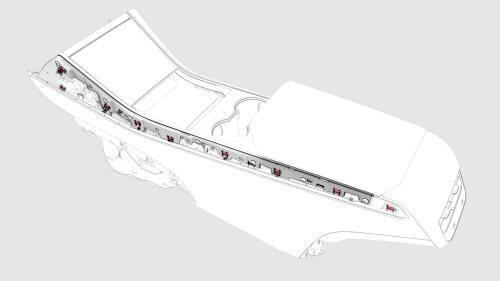
Clip Locations on Center Console
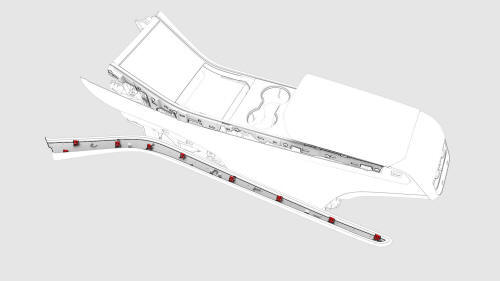
Clip Locations on Decor Trim
- Release the clips (x9) that attach the LH center console decor trim to
the center console, and then remove the decor trim.
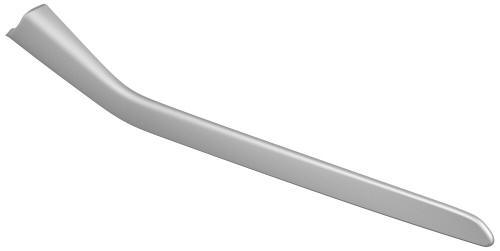
- Repeat step 1 through step 3 to remove the RH center console decor trim, if necessary.
Install
Installation procedure is the reverse of removal.
READ NEXT:
 End Panel - Center Console (Remove and Replace)
Remove
Remove the center console lower rear panel. See
Panel - Lower Rear - Center Console (Remove and Replace).
Remove the center console air vent panel. See
Panel - Air Vent - Center Console (R
Insert - Front Bin - Center Console (Remove and Replace)
Remove
Remove the LH front floormat.
Remove the center console. See
Center Console (Remove and Install)
Raise the center console armrest for access.
Remove the LH and RH center console decor
Panel - Air Vent - Center Console (Remove and Replace)
Remove
Move the driver seat and front passenger seat forward.
Release the clips (x4) that attach the center console air vent panel to
the center console, and separate the panel from th
SEE MORE:
Light - Side Repeater - Front - LH (Remove and Replace)
Remove
Raise and support the vehicle. See Raise Vehicle - 2 Post Lift.
Apply protective tape to the LH fender around the front side repeater
light.
Remove the LH front wheel. See Wheel (Remove and Install).
Remove the LH front wheel arch liner. See Wheel Arch Liner - Front - LH
(Remove an
HV Header - HV Battery (Remove and Replace)
HV Header - HV Battery- Remove
SPECIAL TOOLS
Extractor, Battery HV Header, Model 3 (1140423-00-B)
Lever Lock, HV Connector, Model 3 (1140311-00-A)
Warning:
Only technicians who have been trained in High Voltage Awareness are
permitted to perform this procedure. Proper personal protective equipment
© 2019-2026 Copyright www.tmodel3.com
