
Tesla Model 3: Duct - Footwell - RH (Remove and Replace)
Tesla Model 3 2017-2026 Service Manual / Thermal Management / Cabin HVAC / Duct - Footwell - RH (Remove and Replace)
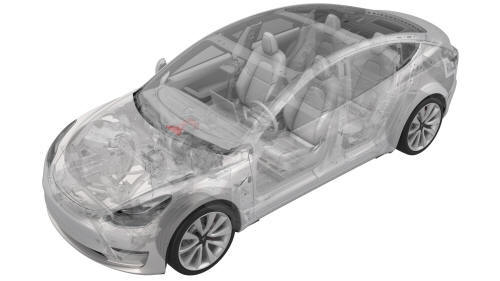
DRAFT
Warning:
This procedure was derived from pre-production computer models, and might not reflect the real-world situation. Warnings and cautions might be missing. Follow safety requirements and use extreme caution when working on or near high voltage systems and components.
Remove
- Remove the passenger knee airbag. See Airbag - Knee - Front Passenger (Remove and Replace).
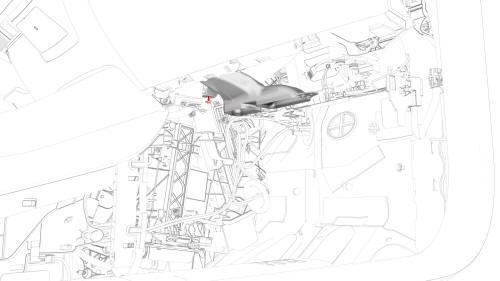
- Remove the RH footwell duct from the HVAC module, and then remove the RH footwell duct from the vehicle.
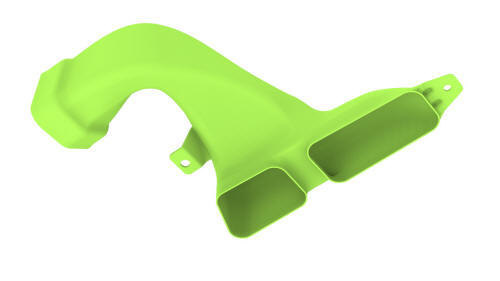
Install
Installation procedure is the reverse of removal.
READ NEXT:
 Duct - HVAC Plenum - Inner (Remove and Replace)
Remove
Remove the rear underhood apron. See
Underhood Apron - Rear (Remove and Replace).
Remove the outer HVAC plenum. See
Duct - HVAC Plenum - Outer (Remove and Replace).
Remove the hood latc
Duct - HVAC Plenum - Outer (Remove and Replace)
Remove
Remove the rear underhood apron. See
Underhood Apron - Rear (Remove and Replace).
Remove the cabin intake duct. See
Duct - Cabin Intake (Remove and Replace).
Release the clips that
Filter - Cabin (Remove and Replace)
Remove
Animated demonstration
Turn off the climate control system.
Remove the RH side center console side panel carpet. See
Carpet - Side Panel - Center Console - LH (Remove and Replace).
Rem
SEE MORE:
Passthrough - DCDC - 12V (Remove and Replace)
Passthrough - DCDC - 12V- Remove
SPECIAL TOOLS
Skt, 1/4in Dr, 5-Lobe Torx Plus External (1059330-00-B)
Resistance meter, microohm, Hioki RM 3548 (1076927-00-A)
Remove
Remove the high voltage controller. See
Controller - High Voltage (Remove and Replace).
Remove the nut that attaches the po
Carpet - Rear Trunk (Remove and Replace)
DRAFT
Warning:
This procedure was derived from pre-production computer models, and
might not reflect the real-world situation. Warnings and cautions might be
missing. Follow safety requirements and use extreme caution when working on or
near high voltage systems and components.
Do not redistr
© 2019-2026 Copyright www.tmodel3.com
