
Tesla Model 3: Duct - HVAC Plenum - Inner (Remove and Replace)
Tesla Model 3 2017-2026 Service Manual / Thermal Management / Cabin HVAC / Duct - HVAC Plenum - Inner (Remove and Replace)
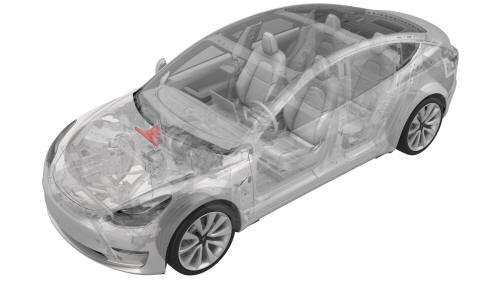
Remove
- Remove the rear underhood apron. See Underhood Apron - Rear (Remove and Replace).
- Remove the outer HVAC plenum. See Duct - HVAC Plenum - Outer (Remove and Replace).
- Remove the hood latch cover. See Cover - Hood Latch (Remove and Replace).
- Remove the underhood storage unit. See Underhood Storage Unit (Remove and Replace).
- Remove the LH and RH wiper arms. See Wiper Arms (Remove and Replace).
- Remove the LH and RH shock tower cover. See Cover - Shock Tower - LH (Remove and Replace).
- Remove the cowl screen panel. See Panel - Cowl Screen (Remove and Replace).
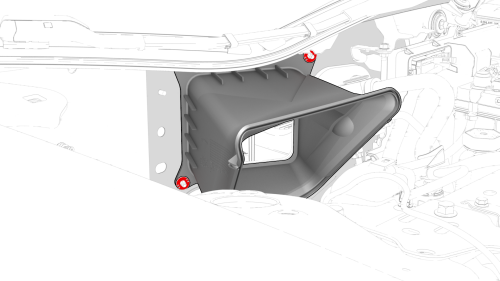
- Release the clips that attach the inner HVAC plenum, and then remove the
inner HVAC plenum from the vehicle.
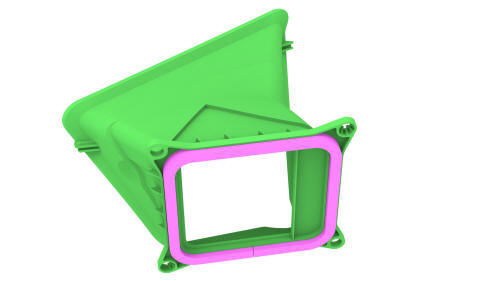
Install
Installation procedure is the reverse of removal.
READ NEXT:
 Duct - HVAC Plenum - Outer (Remove and Replace)
Remove
Remove the rear underhood apron. See
Underhood Apron - Rear (Remove and Replace).
Remove the cabin intake duct. See
Duct - Cabin Intake (Remove and Replace).
Release the clips that
Filter - Cabin (Remove and Replace)
Remove
Animated demonstration
Turn off the climate control system.
Remove the RH side center console side panel carpet. See
Carpet - Side Panel - Center Console - LH (Remove and Replace).
Rem
Heater - PTC (Remove and Replace)
Heater - PTC- Remove
Remove
Raise and support the vehicle on a 2 post lift. See
Raise Vehicle - 2 Post Lift.
Remove the rear underhood apron. See
Underhood Apron - Rear (Remove and Replace).
R
SEE MORE:
Wipers and Washers
Wipers
To perform a single wipe with the windshield
wipers, press and immediately release the
button on the end of the left-hand steering
column lever.
To adjust the continuous wiper settings, touch
the windshield wiper icon located in the
"Cards" area on the touchscreen. The wipe
Drive Unit - Rear (Remove and Install)
Drive Unit - Rear- Remove
SPECIAL TOOLS
Fixture, Subframe, Model 3 (1099645-00-B)
Lifting Sling, Drive Unit, Model 3 (NA, APAC)
(1130279-00-A)
© 2019-2026 Copyright www.tmodel3.com
