
Tesla Model 3: Handle - Exterior Release - Door - Front - LH (Adjust)
Tesla Model 3 2017-2026 Service Manual / Closures / Exterior Door Handles / Handle - Exterior Release - Door - Front - LH (Adjust)
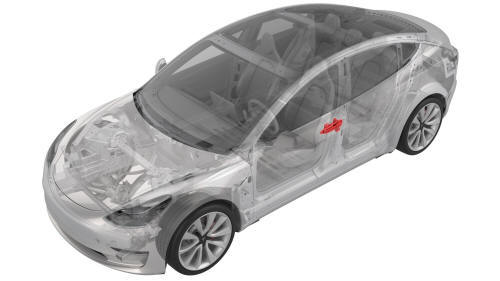
SPECIAL TOOLS
Gauge, Taper Step (1080552-00-A)
Procedure
- Remove the LH front door exterior release handle. See Handle - Exterior Release - Door - Front - LH (Remove and Replace).
- Exercise the handle mechanism, pulling the handle to the maximum position and releasing it, 5 times.
- If the handle binds or slows down during the exercise, replace the handle.
- Remove the shims from the handle, noting which shims are for which mounting hole.
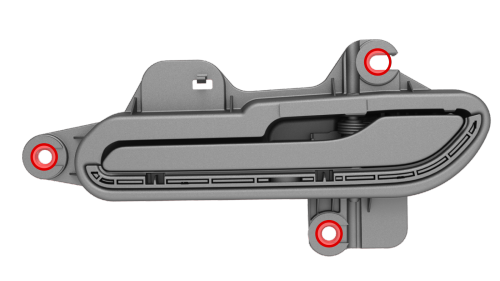
- Enlarge the handle mounting holes (x3) to 10mm in diameter.
Note: You might need to enlarge the shims as well.
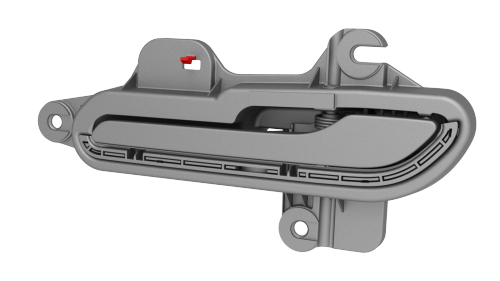
- Remove the tempset feature tab from the handle.
- Return the shims to the handle.
Note: Use grease to temporarily hold the shims in place on the handle
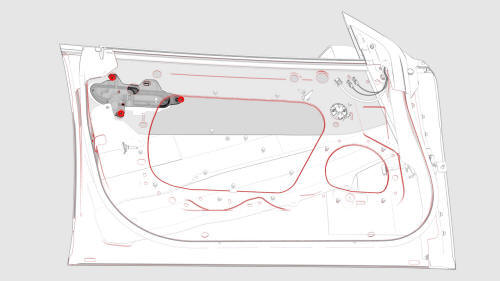
- Install the handle onto the door, and then install and hand-tighten the nuts that attach the handle to the door.
- Use the taper step gauge to check the gap and flush of the handle to the door surface.
- Gap: 1mm +1.5/-0.0mm
- Flush: 0.5mm +2.5/-0.5mm
- Insert shims between the handle and door inside surface at the handle mounting studs to adjust the gap and flush of the handle, if necessary.
Note: Do not stack any more than two shims per mounting stud.
- When the gap and flush are within specification, tighten the nuts that
attach the handle to the door.
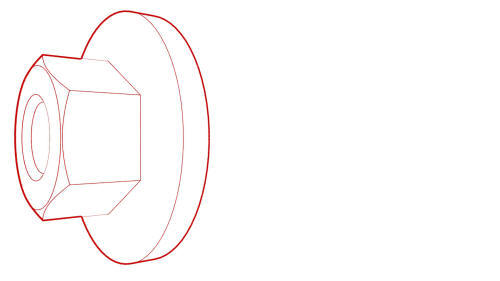 Torque 7 Nm
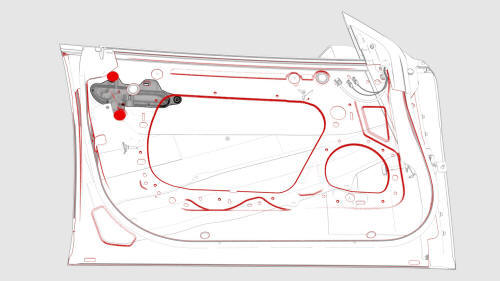
- Install the plugs (x2) that cover access to the LH front door exterior release handle nuts.
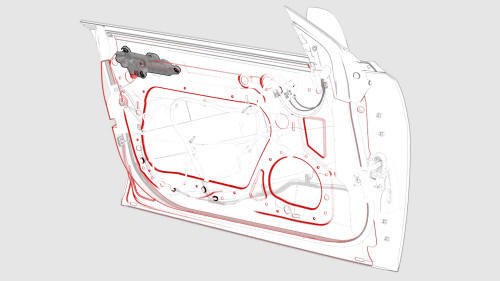
- Connect the wiring harness to the LH front door exterior release handle connector.
- Install the LH front door closeout panel. See Closeout Panel - Door - Front - LH (Remove and Install).
- Install the front LH door glass. See Glass - Door - LH - Front (Remove and Replace).
- Install the LH front door trim panel. See Panel - Door Trim - Front - LH (Remove and Install).
READ NEXT:
 Handle - Exterior Release - Door - Front - LH (Remove and Replace)
Warning: The side impact airbag deployment depends on the front door
sensor's ability to detect a side impact from air pressure. Make sure that there
are no uncovered holes in the front door shel
Handle - Exterior Release - Door - Rear - LH (Adjust)
SPECIAL TOOLS
Gauge, Taper Step (1080552-00-A)
Procedure
Remove the LH rear door exterior release handle. See Handle - Exterior
Release - Door - Rear - LH (Remove and Replace).
Exercise the ha
Handle - Exterior Release - Door - Rear - LH (Remove and Replace)
Warning: The side impact airbag deployment depends on the front door
sensor's ability to detect a side impact from air pressure. Make sure that there
are no uncovered holes in the front door shel
SEE MORE:
Cover - Shock Tower - LH (Remove and Replace)
Remove
Remove the rear underhood apron. See
Underhood Apron - Rear (Remove and Replace).
Remove the cabin intake duct. See
Duct - Cabin Intake (Remove and Replace).
Remove the hood latch cover. See
Cover - Hood Latch (Remove and Replace).
Remove the underhood storage unit. See
Underhood
Penthouse Coolant (Drain and Refill)
Penthouse Coolant- Drain
SPECIAL TOOLS
Drive Unit Pressure Test Fixture (1053600-00-C)
Kit, Coolant Leak Test Adapters, Model 3 (1132185-00-B)
Kit, Coolant Drain & Fill Adapters, M3 (1133843-00-A)
Kit, Svc Plug, Cooling Hose, Model 3 (1135762-00-A)
Kit, Battery Coolant Drain and Fill (GSN-TL-000
© 2019-2026 Copyright www.tmodel3.com
