
Tesla Model 3: Interior Camera
Tesla Model 3 2017-2026 Service Manual / Electrical / Interior Camera
Camera - Occupant (Remove and Replace)
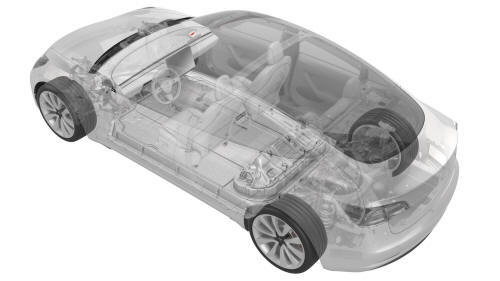
Remove
- Remove the rear view mirror. See Mirror - Rear View (Remove and Replace).
.jpg)
- Release the clips that attach the upper quad camera cover, disconnect the occupant camera connector, and remove the camera cover from the vehicle.
.jpg)
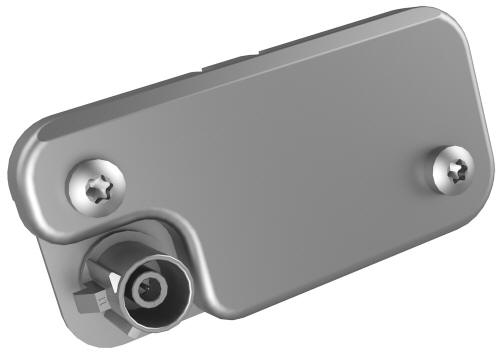
- Remove the screws that attach the camera to the cover, and then remove
the camera.
.jpg) Torque 1 Nm
Torque 1 Nm
Install
- Installation procedure is the reverse of removal.
READ NEXT:
 Rear Cameras
Camera - Rear Facing (Remove and Replace)
Remove
Remove the trunk trim. See Trim - Lid - Trunk (Remove and Replace).
Remove the trunk exterior release switch. See Switch - Exterior Release
- Tr
Sensor - Parking Distance - Front - Each (Remove and Replace)
Remove
Remove the rear underhood apron. See Underhood Apron - Rear (Remove and
Replace).
Remove the cabin intake duct. See Duct - Cabin Intake (Remove and
Replace).
Remove the hood latch cov
SEE MORE:
Foam - Backrest - Driver Seat (Remove and Replace)
Foam - Backrest - Driver Seat (Remove and Replace) - Remove
Remove
Remove the driver seat. See
Seat - Driver (Remove and Replace).
Remove the driver headrest trim. See
Trim - Headrest - Driver (Remove and Replace).
Remove the side outer cover from the driver seat. See
Cover - Outer Side -
Cleaning
Cleaning the Exterior
To prevent damage to the paint, immediately
remove corrosive substances (bird droppings,
tree resin, dead insects, tar spots, road salt,
industrial fallout, etc.). Do not wait until Model
3 is due for a complete wash. If necessary, use
denatured alcohol to remove tar spots
© 2019-2026 Copyright www.tmodel3.com
