
Tesla Model 3: Motor Assembly - Rear (Remove and Replace)
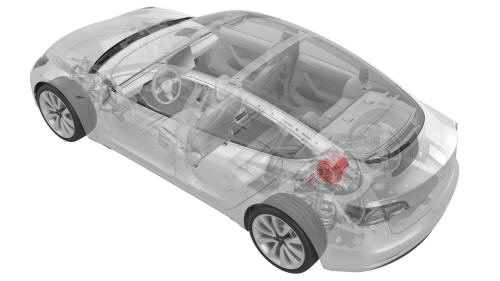
Remove
- Remove the rear drive unit. See Drive Unit - Rear (Remove and Replace).
- Remove the rear drive unit inverter. See Inverter - Rear Drive Unit (Remove and Install).
- Position the gearbox and motor assembly in the upright position on the service table.
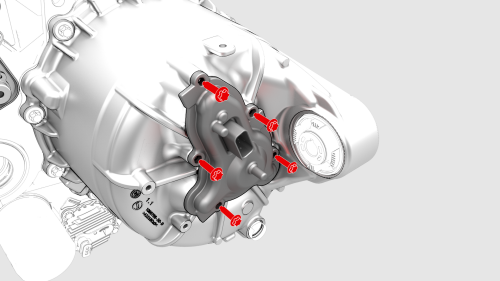
- Remove the fasteners that attach the resolver cover to the motor assembly, and then remove the resolver cover from the motor.
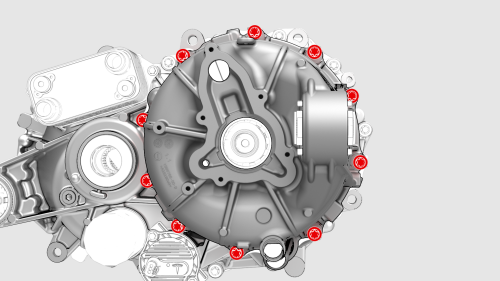
- Remove the bolts that attach the motor assembly to the gearbox assembly.
- Set up the motor sling and gantry to remove the motor assembly.
- Use the gantry to gently lift the motor assembly from the gearbox.
Tip: A trim tool can help separate the motor assembly from the gearbox should the motor assembly bind on lifting.
- Lower the motor onto the shipping crate or pallet.
- Remove the motor sling from the motor assembly.
- Remove and discard the motor assembly to gearbox
gasket.
Install
- Install a new motor assembly to gearbox gasket.
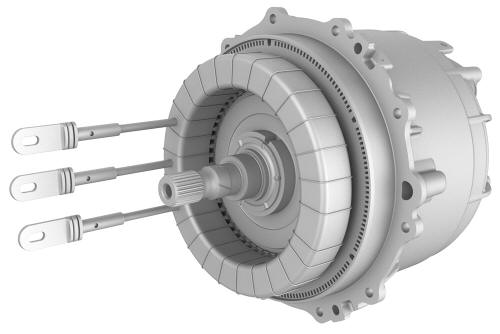
- Install new stator phase lug o-rings.
- Set up the motor sling and gantry to install the motor assembly.
- Lift the motor assembly over the gearbox for installation.
- With an assistant, align the guides and carefully lower the motor assembly into the gearbox.
Caution: Make sure to align the stator phase lug, jet ring, and inner shaft, and use a rubber hammer to gently tap the gearbox, if necessary.
- Remove the motor sling from the motor assembly.
- Install the bolts that attach the motor assembly to
the gearbox.
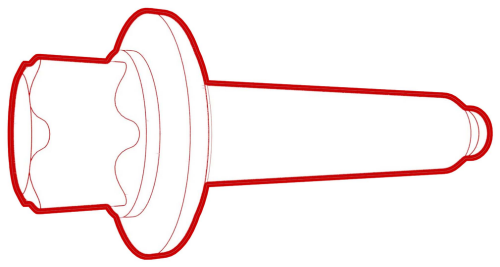 Torque 15 Nm +25 deg
- Install the resolver cover on the motor assembly,
and install the bolts that attach the resolver cover to
the motor assembly.
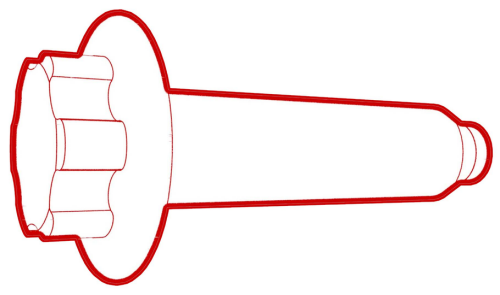 Torque 15 Nm +25 deg
Caution: Make sure to align the brush and motor.
- Install the rear drive unit inverter. See Inverter - Rear Drive Unit (Remove and Install).
- Install the rear drive unit. See Drive Unit - Rear (Remove and Replace).
READ NEXT:
 Sensor - Rear Motor - Speed (Remove and Replace)
Special tool required for this procedure:
1451839-00-A SKT, EP10 LOW PROFILE
1115031-00-A EXT, WOBBLE, 1/4" DR, 1.25"
HV Header - Inverter - Rear Drive Unit (Remove
and Replace)
HV Header - Inverter - Rear Drive Unit - Remove
SPECIAL TOOLS
Extractor, Drive Unit HV Header, Model 3
(1142608-00-B)
SEE MORE:
Trim - A-Pillar - Lower - LH (Remove and Replace)
Remove
Open the LH front door.
Remove the LH instrument panel end cap. See
End Cap - Instrument Panel - LH (Remove and Replace).
Remove the LH middle A-Pillar trim panel. See
Trim - A-Pillar - Middle - LH (Remove and Replace).
Release the topmost clip on the LH lower A-pillar
Stabilizer Bar - Rear (Remove and Replace)
Remove
Raise and support the vehicle. See Raise Vehicle - 2
Post Lift.
Remove the mid aero shield panel. See Panel - Aero
Shield - Mid (Remove and Replace).
