
Tesla Model 3: Accelerator Pedal
Tesla Model 3 2017-2026 Service Manual / Electrical / Accelerator Pedal
Accelerator (Remove and Replace)
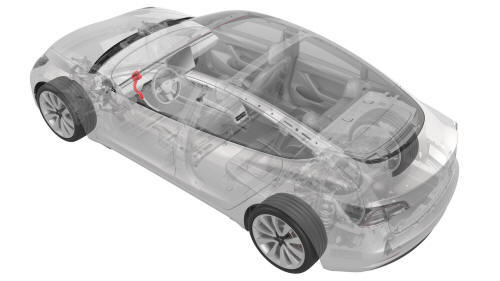
Remove
- Remove the 2nd row lower seat cushion. See Seat Cushion - Lower - 2nd Row (Remove and Replace).
- Remove the rear underhood apron. See Underhood Apron - Rear (Remove and Replace).
- Disconnect 12V power. See 12V Power (Disconnect and Connect).
- Remove the driver knee airbag. See Airbag - Knee - Driver (Remove and Replace).
- Remove the LH footwell duct. See Duct - Footwell - LH (Remove and Replace).
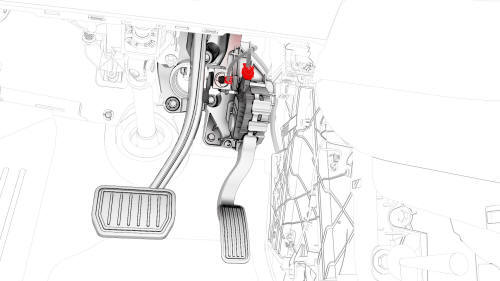
- Disconnect the electrical connector from the accelerator.
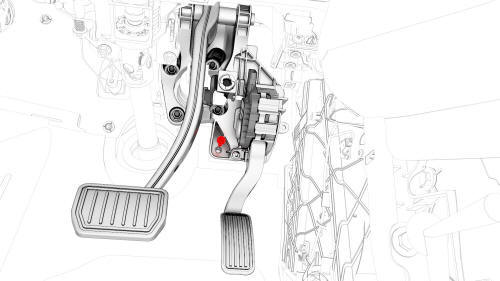
- Remove the bolt that attaches the accelerator to the body.
- Slide the accelerator downwards, and then remove the accelerator from the vehicle.
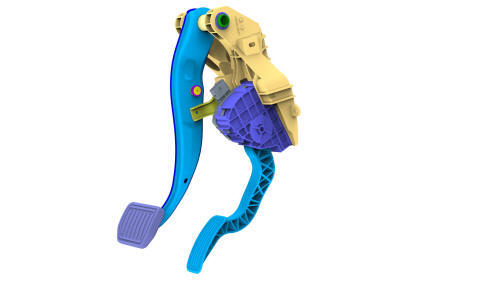
Install
- Slide the accelerator up, and then install the accelerator into the bracket.
- Install the bolt that attaches the accelerator to the body.
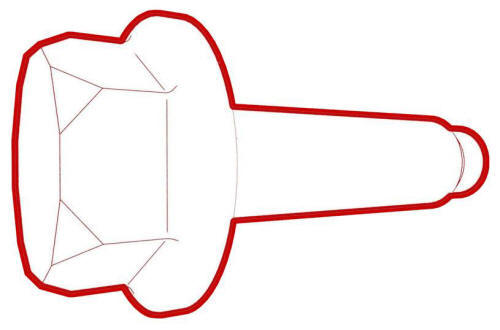 Torque 7 Nm
 - Connect the accelerator electrical connector.
- Install the LH footwell duct. See Duct - Footwell - LH (Remove and Replace).
- Install the driver knee airbag. See Airbag - Knee - Driver (Remove and Replace).
- Reconnect 12V power. See 12V Power (Disconnect and Connect).
- Connect a laptop with Toolbox to the vehicle.
- Use Toolbox to perform the accelerator pedal test.
- Install the rear underhood apron. See Underhood Apron - Rear (Remove and Replace).
- Install the 2nd row lower seat cushion. See Seat Cushion - Lower - 2nd Row (Remove and Replace).
READ NEXT:
 Actuator - Bleed - LH (Remove and Replace)
Remove
Remove the cross car beam. See
Beam - Cross Car (Remove and Replace).
Disconnect the electrical wiring harness connector from the LH bleed
actuator.
Remove the bolts that attac
SEE MORE:
Horn - Low Tone (Remove and Replace)
Remove
Remove the front fascia. See
Remove.
Disconnect the harness from the low tone horn connector.
North America
Remove the bolt that attaches the horn to the carrier, and remove the
horn from the vehicle.
Torque 9 Nm
EMEA
Install
Installation procedure is the reverse of
Mount - Front Drive Unit - LH (Remove and Replace)
Remove
Remove the front subframe assembly from the vehicle. See
Subframe Assembly - Front (Dual Motor) (Remove and Install).
Release the clips that attach the front drive unit harness to the front
drive unit inverter.
Remove the bolts that attach the LH front drive unit mount to the
© 2019-2026 Copyright www.tmodel3.com
