
Tesla Model 3: Harness - Headliner (Remove and Replace)
Tesla Model 3 2017-2026 Service Manual / Electrical / Harnesses / Harness - Headliner (Remove and Replace)
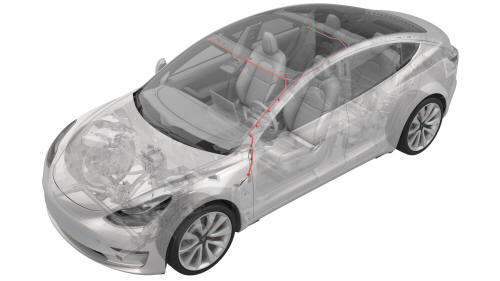
Remove
- Remove the headliner. See Headliner (Remove and Install).
- Disconnect the electrical harness from the LH headliner tweeter connector.
- Disconnect the electrical harness from the front overhead console connector.
- Disconnect the electrical harness from the RH headliner tweeter connector.
- Disconnect the electrical harness from the rear overhead console connector.
- Separate the glue attaching points (x6) that attach the headliner harness to the headliner.
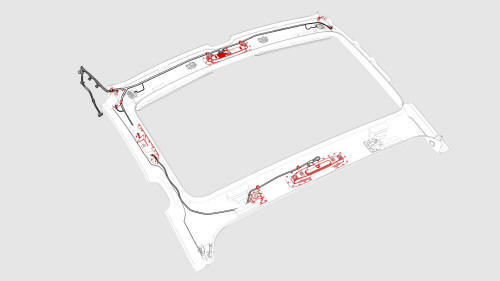
- Release the clips that attach the headliner harness to the headliner,
and then remove the harness from the headliner.
Install
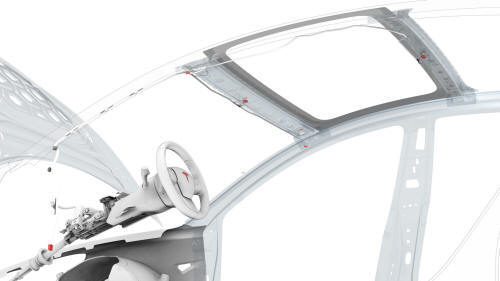
Installation procedure is the reverse of removal, except for the following:
Use a glue gun to attach the headliner harness to the headliner. Allow time for the glue to set.
READ NEXT:
 Harness - Instrument Panel (Remove and Replace)
Remove
Remove the rear underhood apron. See Underhood Apron - Rear (Remove and
Replace).
Remove the cabin intake duct. See Duct - Cabin Intake (Remove and
Replace).
Remove the hood latch cov
Harness - Main Front (Remove and Replace)
Harness - Main Front- Remove
Remove
Open the front LH and front RH doors
Open the hood.
Place wheel chocks on both rear wheels.
Put vehicle in Neutral.
Disconnect 12V power. See 12V Power (Dis
SEE MORE:
Brake Caliper - Rear - LH (Remove and Replace)
Brake Caliper - Rear - LH - Remove
SPECIAL TOOLS
Kit, EPB Release, Handheld (1134520-00-A)
XP-10 Power Supply, XP-10 (1129348-00-A)
Remove
Rais
Beam - Cross Car (Remove and Replace) - Remove
Remove
Remove the IP carrier. See
IP Carrier (Remove and Install).
Remove the LH air wave duct. See
Duct - Air Wave - LH (Remove and Replace).
Remove the LH footwell duct. See
Duct - Footwell - LH (Remove and Replace).
Remove the clips that attach the LH side of the main carpet to th
© 2019-2026 Copyright www.tmodel3.com
