
Tesla Model 3: Striker - Trunk (Remove and Replace)
Tesla Model 3 2017-2026 Service Manual / Closures / Latches Strikers and Pinch Sensors / Striker - Trunk (Remove and Replace)
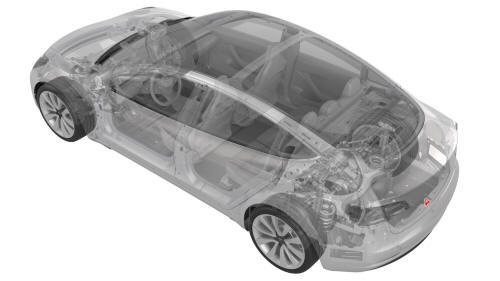
Remove
- Remove the rear trunk sill trim. See Trim - Sill - Trunk (Remove and Replace).
- Use masking tape to mark the location of the trunk striker.
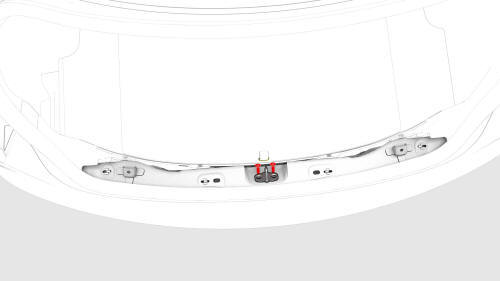
- Remove the bolts that attach the trunk striker to the body, and then
remove the striker from the vehicle.
Install
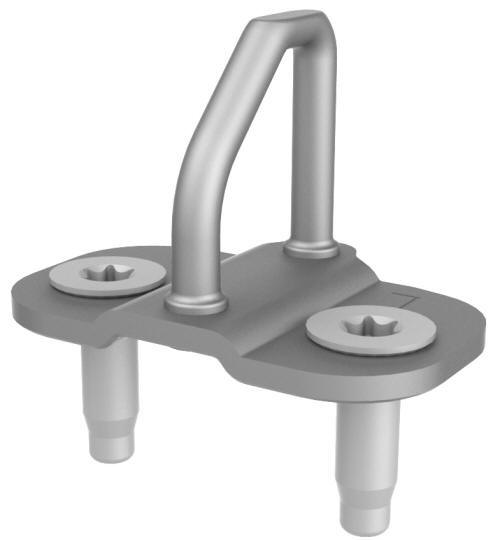
- Align the trunk striker with the masking tape on the body, and then hand-tighten the bolts that attach the trunk striker to the body
- Close the trunk and check gap/flush.
- Open the trunk and adjust the striker position as necessary.
- Repeat step 2 and step 3 until alignment is satisfactory.
- Fully tighten the bolts that attach the trunk striker to the vehicle.
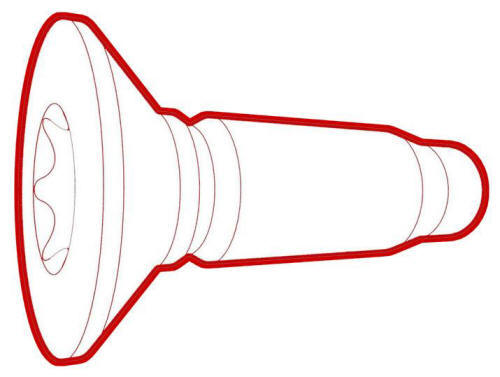 Torque 24 Nm
 - Remove the masking tape and install the rear trunk sill trim. See Trim - Sill - Trunk (Remove and Replace).
READ NEXT:
 Switch - Exterior Release - Trunk (Remove and Replace)
Remove
Remove the trunk lid trim. See Trim - Lid - Trunk (Remove and Replace).
Disconnect the electrical connectors from the trunk exterior release
switch and the rear facing camera.
Hall Sensor - Exterior Release - Door - Front - LH (Remove and Replace)
Remove
Remove the LH front door trim panel. See Panel - Door Trim - Front - LH
(Remove and Install).
Remove the LH front door inner belt seal. See Seal - Inner Belt - Front
Door - LH (Remove
SEE MORE:
Fluid Coupling (Straight) - Rear Drive Unit (Remove and Replace)
SPECIAL TOOLS
Kit, Svc Plug, Cooling Hose, Model 3
(1135762-00-A)
Remove
Remove the LH rear drive unit mount. See Moun
Underhood Apron - Rear (Remove and Replace)
Remove
Open the hood.
Release the clips (x12) that attach the rear underhood apron to the
vehicle, and then remove the apron from the vehicle.
Install
Installation procedure is the reverse of removal.
© 2019-2026 Copyright www.tmodel3.com
