
Tesla Model 3: Tesla Badge - Front (Remove and Replace)
Tesla Model 3 2017-2026 Service Manual / Exterior Fittings / Badges and Films / Tesla Badge - Front (Remove and Replace)
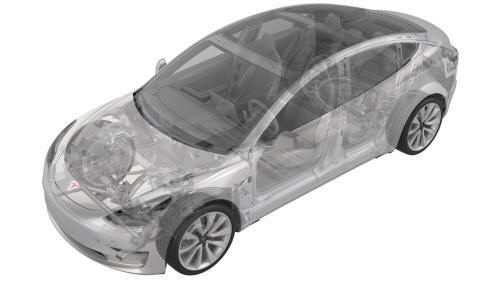
SPECIAL TOOLS
Kit, Badge Removal (1453028-00-A)
Fixture, Front Badge, Model 3 (1134702-00-A)
Remove
- Prepare the badge removal tool with approximately 60 centimeters of monofilament line.
- With the hood closed, position the badge removal tool so that the monofilament line cuts under a corner of the front Tesla badge.
Move the badge removal tool in a sawing motion to separate the front Tesla badge from the hood.

- Use IPA wipes to clean all adhesive residue and debris from the hood surface.
Install
- Open the hood partially, and place a folded shop towel over the latch to prevent the hood from closing.
- Install the front badge fixture over the hood and onto the striker, and then attach the fixture in place with tape.
- Peel the adhesive backing from the hood badge, align the badge protective film to the locating posts of the fixture, and then press the badge to the hood
- Remove the protective film from the badge, and then remove the fixture from the hood.
- Remove the shop towel from the latch, and close the hood.
- Replace the protective film over the badge, use a seam roller to wet-out the badge, and then remove the protective film.
- Use an IPA wipe to clean the badge and any remaining debris.
Note: Make sure that all edges of the badge are securely affixed to the hood surface.
READ NEXT:
 Tesla Badge - Rear (Remove and Replace)
SPECIAL TOOLS
Kit, Badge Removal (1453028-00-A)
Fixture, Rear Badge, Model 3 (1134703-00-A)
Remove
Prepare the badge removal tool with approximately 60 centimeters of
monofilament line.
Raise
Bracket - License Plate - Front (EMEA) (Retrofit using Jig)
SPECIAL TOOLS
Front license plate bracket jig, Model 3, EMEA (1496772-00-A )
Procedure
Clean the front center surface of the front fascia with isopropyl
alcohol (IPA) wipe, and then allow surfa
SEE MORE:
Switch - Exterior Release - Trunk (Remove and Replace)
Remove
Remove the trunk lid trim. See Trim - Lid - Trunk (Remove and Replace).
Disconnect the electrical connectors from the trunk exterior release
switch and the rear facing camera.
Remove the bolts that attach the rear facing camera to the trunk
exterior release switch, and
Knuckle - Suspension - Front - LH (Dual Motor) (Remove and Replace)
Knuckle - Suspension - Front - LH (Dual Motor) - Remove
Remove
If equipped, remove the LH front wheel center cap. See
Cap - Wheel (Remove and Replace).
Loosen the LH front wheel lug nuts.
Caution: Use only hand tools to remove
or install the fasteners. Do not use impact or power tools.
© 2019-2026 Copyright www.tmodel3.com
